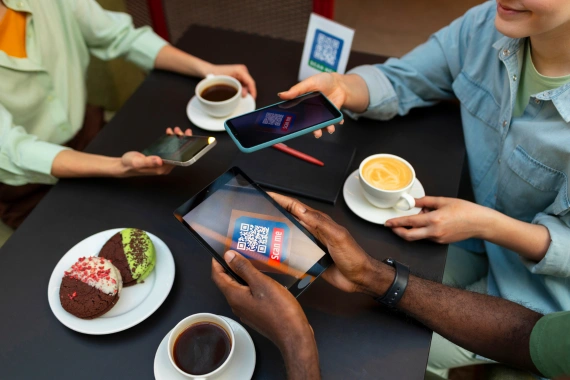
Your restaurant runs on software. POS terminals, online ordering platforms, kitchen display systems, loyalty apps, inventory management, and payment processors — every one of them needs a live internet connection to do its job.
When connectivity fails, the entire stack collapses. This guide breaks down each layer of the restaurant tech stack, explains what it needs from your network, and shows you how to build infrastructure that keeps everything running.
What Is a Restaurant Tech Stack?
A restaurant tech stack is the collection of software and hardware systems that run daily operations. In 2026, even a single-location independent restaurant typically runs five to ten connected platforms simultaneously. A fast-casual chain or QSR may run twenty or more. Each system has its own connectivity requirements, and most are intolerant of latency or interruption.
The core layers of a modern restaurant tech stack include:
- Point-of-sale (POS) system — the transaction engine
- Online ordering platform — first- and third-party delivery integrations
- Kitchen display system (KDS) — order routing to prep stations
- Payment processing — card-present and card-not-present transactions
- Loyalty and CRM platform — guest identification and rewards
- Inventory and procurement software — real-time stock tracking
- Labor scheduling and timekeeping — clock-ins, shift swaps, compliance
- IoT sensors and smart equipment — temperature monitoring, energy management
- Guest WiFi — customer-facing network separate from operations
How Each System Uses Your Network
Point-of-sale systems are the most connectivity-sensitive layer. Cloud-based POS platforms like Toast, Square for Restaurants, and Lightspeed require constant upstream communication to process transactions, sync menus, and log sales data. Most can operate in offline mode for short periods, but offline mode has limits; you cannot accept new gift cards, apply loyalty points, or push menu updates while disconnected.
Online ordering platforms pull orders from your website, your app, and third-party aggregators like DoorDash, Uber Eats, and Grubhub. Each incoming order triggers a webhook or API call that must reach your POS or KDS within seconds. A connectivity gap means missed orders, delayed confirmations, and angry customers who ordered twenty minutes ago with no status update.
Kitchen display systems are latency-critical. An order fired at the POS should appear on the KDS in under two seconds. Most operators never think about KDS connectivity until they experience a multi-second delay during a rush, and by then, tickets are backing up and the kitchen is guessing.
Payment processing has zero tolerance for outages. Card-present transactions require an active connection to the payment gateway. A 60-second internet outage at peak service can mean four to six failed transactions, frustrated guests, and potential chargebacks if terminals handle the failure incorrectly.
Bandwidth Requirements by System
Restaurants consistently underestimate how much bandwidth their tech stack consumes. A conservative estimate for a full-service restaurant running a cloud POS, KDS, online ordering, loyalty, and security cameras is 25 to 50 Mbps dedicated to operations — not including guest WiFi.
Here is a practical breakdown by system type:
- Cloud POS (per terminal): 1–3 Mbps sustained, 5–10 Mbps burst during menu syncs
- KDS (per display): 0.5–1 Mbps
- Online ordering integration: 2–5 Mbps sustained
- Payment processing: minimal bandwidth, but extremely latency-sensitive (sub-100ms)
- Security cameras (per HD stream): 2–4 Mbps
- Digital menu boards: 5–15 Mbps during content updates
- Guest WiFi: 1–5 Mbps per concurrent user
Network Segmentation: Why Operational and Guest Traffic Must Stay Separate
Running your POS on the same network as guest WiFi is one of the most common and dangerous mistakes in restaurant IT. A guest streaming video or downloading a large file can saturate shared bandwidth and slow transaction processing. More critically, a flat network creates a direct path from an untrusted guest device to your payment infrastructure — a PCI DSS compliance violation and a real security risk.
A properly segmented restaurant network uses separate VLANs or physical networks for operations (POS, KDS, payments), management (back-office, security cameras, IoT), and guest access. Each segment has dedicated QoS rules that prioritize payment traffic above everything else.
Redundancy: The Non-Negotiable Layer
Every layer of your tech stack is only as reliable as your internet connection. A single fiber or cable circuit, no matter how fast, will eventually go down. A 99.9% uptime SLA from your ISP still allows eight hours of downtime per year. For a restaurant doing $500 in sales per hour, that is $4,000 in potential lost revenue — before you count the operational disruption, the guest experience damage, and the staff hours spent troubleshooting.
The standard for 2026 is dual-WAN with automatic failover. A primary fiber or cable connection handles normal operations. A 4G/5G LTE backup activates in under 60 seconds when the primary drops. Managed SD-WAN solutions can reduce failover to under five seconds with active-active configurations.
Managed Connectivity vs. DIY: What Operators Should Know
Many restaurant operators cobble together their network infrastructure from consumer-grade routers, ISP-provided equipment, and whatever the POS vendor recommended at installation. This approach creates fragmented systems with no centralized visibility, no proactive monitoring, and no defined failover path.
Managed connectivity solutions, like those offered by Vivant, provide enterprise-grade hardware, 24/7 network monitoring, automatic failover, and a single point of accountability when something goes wrong. For multi-unit operators, managed connectivity also enables centralized configuration and remote troubleshooting across every location from a single dashboard.
Future-Proofing Your Restaurant Network
The restaurant tech stack will keep growing. AI-driven ordering assistants, voice AI at the drive-through, real-time supply chain integrations, and connected kitchen equipment all add to your network load. The infrastructure you build today should be designed with headroom — not just for what you’re running now, but for what you’ll deploy in the next 18 to 36 months.
Key considerations for a future-ready network include WiFi 6 or WiFi 6E access points, 10 Gbps switching in the back-of-house, and a managed SD-WAN platform that can handle policy-based routing as your stack evolves.
Frequently Asked Questions
How much internet speed does a restaurant need?
Most restaurants need at least 25–50 Mbps dedicated to operations, plus additional bandwidth for guest WiFi. High-volume QSRs and multi-terminal full-service restaurants may need 100 Mbps or more.
Can a restaurant POS work without internet?
Most cloud-based POS systems have an offline mode, but it is limited. You typically cannot process loyalty, new gift cards, or push menu updates offline. Offline transactions must sync when connectivity is restored.
What is network segmentation in a restaurant?
Network segmentation means separating your operational network (POS, payments, KDS) from your guest WiFi and management systems using VLANs or separate physical networks. It is required for PCI DSS compliance and improves both security and performance.
How does managed connectivity differ from a standard ISP connection?
A managed connectivity provider supplies hardware, configuration, monitoring, failover, and support as a service. A standard ISP provides the circuit only — everything else is your responsibility.
Build infrastructure that keeps the whole stack running.
Get a free cost analysis of bandwidth, segmentation, and failover across your locations.