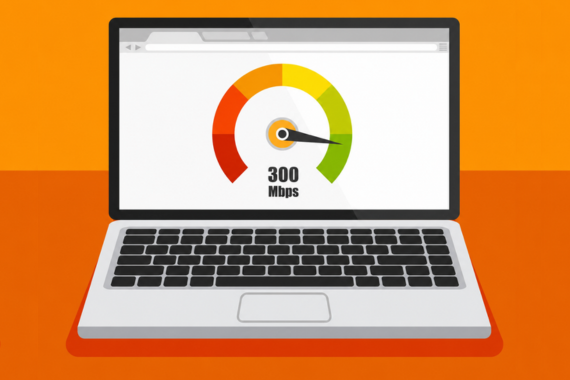
Yes, 300 Mbps is fast enough for most single-location businesses, but it depends on upload speed and simultaneous device load. It also depends on what your business actually does.
This post walks you through exactly what 300 Mbps gets you, where it falls short, and how to tell what your business really needs.
What Is 300 Mbps and Is It Actually Fast?
Mbps stands for megabits per second. It’s a measure of how much data your internet connection can move at any given moment. A 300 Mbps connection moves 300 megabits of data every second.
In everyday use, 300 Mbps can comfortably handle dozens of HD video streams running at once, large files downloading in seconds, and a few dozen connected devices operating simultaneously.
That sounds like a lot on paper, but businesses run operations every day, with tens or hundreds of people and devices connected. That’s the stress test to see if a connection holds up or disrupts your business.
Why Upload Speed Matters as Much as Download Speed
Internet plans advertise one big number that includes two speeds: one for download, one for upload.
Download is data coming to you. Loading a website, streaming video, pulling a file from cloud storage. Upload is data going from you. Sending an email attachment, joining a video call, processing a payment, backing up files to the cloud.
But most business internet plans are not balanced. A 300 Mbps plan can mean 300 Mbps for download and something much lower for upload, sometimes as low as 20 Mbps. The difference is important because businesses send out a lot more data than a home does. Every video call, every cloud backup, every security camera feed, and every cloud-based payment is using the upload side.
💡 Before you commit to any plan, ask the provider what the upload internet speed is. If they dodge the question, you have your answer.
How Much Internet Speed Does a Business Actually Need?
Speed alone is not enough — you should also consider the total load running on the connection at once.
Here’s a rough estimate of the data load for common business activities. Numbers vary by system requirements, media resolution, and frame rates:
| Activity | Rough Speed Needed |
|---|---|
| Browsing and email | 5 Mbps per user |
| HD video call (Zoom, Teams) | 4 Mbps per call |
| Cloud-based payment transaction | Under 1 Mbps |
| Background music streaming | 1 to 2 Mbps |
| Uploading large files to the cloud | 25 Mbps minimum |
| Security camera (per camera) | 2 to 5 Mbps |
| Guest WiFi (per active user) | 5 to 10 Mbps |
To find what your business actually needs, add up the activities running during your busiest hour, not your average hour. That number is what your connection needs to handle without struggling.
Is 300 Mbps Fast Enough for Your Business?
Are you a small office with a few people doing email and an occasional video call? Or a restaurant running a payment system, security cameras, guest WiFi for customers, kitchen tablets, and an ordering app?
You’re probably fine if any of the following describes your operation:
- You’re a home services business with fewer than 15 employees, just looking for a setup to send invoices, schedule appointments, set up phone systems, and maybe GPS.
- Your work is mostly browsing, email, and document editing. An office full of people doing this won’t get close to 300 Mbps unless they’re streaming movies from their devices.
- You are not cloud-heavy. If your team isn’t constantly pulling huge files from cloud storage or syncing video projects, you have plenty of breathing room.
- Your connected device count is modest — just computers, phones, CCTV, a printer, a smart TV or two.
But you’ll feel the limits in some situations:
- If you’re an architecture firm, video production studio, or medical office that pushes huge files between local computers and the cloud all day. You’ll use up 300 Mbps fast, especially on the upload side where bandwidth is tightest.
- Restaurants at peak hours, retail stores with many payment terminals, or salons with tablets at every station. Anywhere with a high number of devices hitting the network at the same moment will feel the squeeze.
- Heavy guest WiFi use. A cafe with 30 people scrolling their phones at once is using more bandwidth than the cafe itself.
- Continuous security camera streaming — each camera takes a small slice on its own, but eight cameras streaming HD footage to a cloud recorder adds up to a real chunk of the connection.
- If you have multiple locations that share systems through the cloud, each site is also constantly pulling and pushing data.
💡 In any of these cases, the answer isn’t always a faster plan. Sometimes the connection is fine, and the real issue is how the network is set up, or whether anything is in place to keep things running when something fails.
Why Internet Speed Alone Does Not Guarantee Reliable Business Connectivity
Speed is meaningless without a reliable ISP.
A 300 Mbps connection that works 99% of the time still goes down. That 1% will land at the worst possible moment, like a lunch rush, or the morning of a client presentation.
What’s critical for a business is whether the connection holds steady when operations are running at once, and whether there’s a backup or failsafe to get you online when the primary line drops. That’s the failover internet connection that kicks in automatically when the main one fails, usually within seconds. Most businesses don’t think about failover until they’ve already lost money.
Business internet services built for serious operations differ from a basic ISP plan: zero downtime, fast failover, and someone managing your network so you don’t have to.
Your Business Internet Test Cheat Sheet
Not sure what you’re currently getting? Run a free speed test before doing the math below.
- Add up your bandwidth needs for everything running during your busiest hour — cameras, payment terminals, video calls, employees, guest WiFi, cloud syncing, all of it.
- Double the number, because reality never matches your perfect math. If you’re still under 300, you’re good. If you’re over, you need more capacity, a smarter network setup, or both.
- Check the upload speed — not just the download number on the brochure.
- Confirm failover is part of the package.
- Make sure whoever provides your connection actually picks up the phone when something goes wrong.
A provider that handles all of this together saves you from juggling vendors for different solutions.
💡 Vivant’s managed network services bundle business internet, automatic backup, and proactive monitoring under one bill, with a real human on the line whenever you call. You get speed, the reliability you can’t see on a speed test, and one point of contact when something doesn’t go quite right.
FAQs
Is 300 Mbps Fast Enough For Working From Home?
For one person working from home, 300 Mbps is more than enough. You can run video calls, stream music, download large files, and have other devices on the connection without even noticing. Even a household with many remote workers barely uses more than 100 Mbps at once.
How Many Devices Can 300 Mbps Support?
It depends on what each device is doing. 300 Mbps comfortably supports 30 to 50 devices on light activity like browsing, email, and occasional video calls. If those devices are all streaming HD video or running video calls at the same time, the comfortable limit quickly drops. What devices are doing matters more than the count.
Is 300 Mbps Enough For A Small Business?
If your business has fewer than 15 employees doing typical office work, yes. For businesses running heavy cloud applications, multiple payment terminals, security cameras, and guest WiFi all at once, it depends on how the setup is built. Adding up your peak hour usage gives you the best answer.
What’s Good Internet Speed for a Business?
Total your demanded speed during the busiest hour and double it for headroom. That gives you a realistic target of the speed you need.
Not sure if 300 Mbps is right for your business?
Get a straight answer from Vivant — free connectivity assessment, one partner, 100% uptime guarantee.