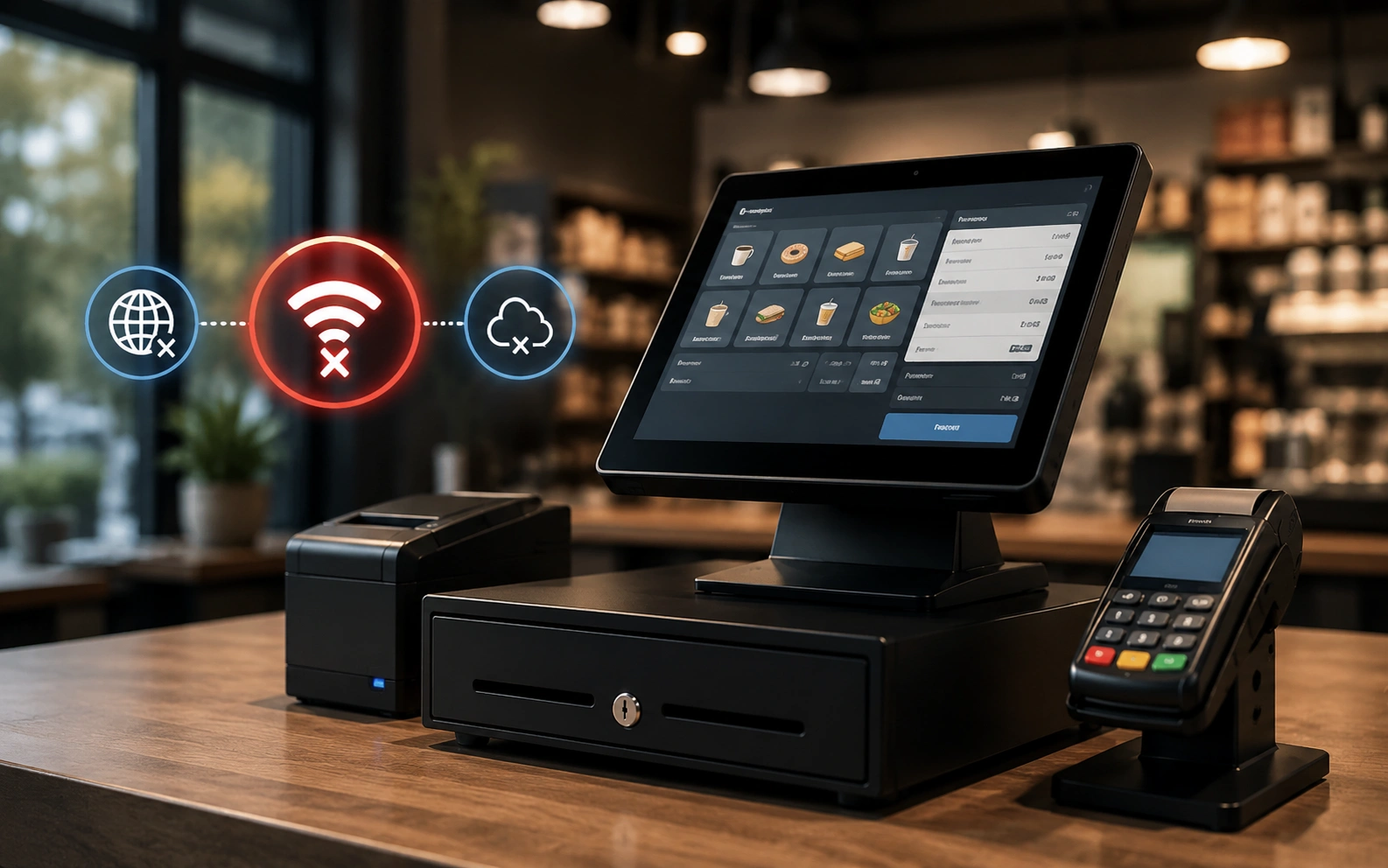


One study puts the average cost of downtime for large enterprises at $14,056 per minute. Beyond the immediate financial hit, an outage can damage customer trust and expose your business to data breach risk, and most companies can’t afford to just wait it out.
In this guide, we’ll cover what backup internet is, the different types of failover solutions available, what they actually cost, the most common causes of internet outages, and exactly how to choose the right one for your business.
What is a backup internet connection?
A backup internet connection is a secondary connection alongside your primary one. It typically sits inactive, and you may not think about it much, right up until the moment you need it.
Since the internet is critical for almost every business, any disruption in connectivity results in real costs. This is where backup internet, also known as internet failover, proves its value: it lets you keep running while the primary connection gets fixed.
Pro Tip: “Backup internet” and “internet failover” get used interchangeably, but they’re different approaches.
- Backup internet is a reactive measure: the secondary connection engages only after the primary connection fails.
- Internet failover is a proactive, automated system built into the network infrastructure. As long as at least one connection stays active, the business stays connected without interruption.
Either way, the point of a redundant connection is the same: your point-of-sale systems, phones, and cloud software shouldn’t all go dark because one line went down.
How does an internet failover solution work?
An internet failover system works as a safety net for your business internet. Here’s how it works:
- Multiple WAN ports: the failover solution consists of a router equipped with multiple wide area network (WAN) ports. Each port connects to a different internet service provider (ISP) or a different type of connection, like DSL, fiber, or wireless.
- Automatic switch: when your primary connection goes down, the router switches to the secondary connection with no manual intervention required. The alternative, manual failover, depends on a person noticing the outage first.
Failover speed matters here more than most buyers realize. A router that takes two or three minutes to detect an outage and switch over still means several minutes of dropped calls and frozen point-of-sale terminals. Look for a solution with failover speed measured in seconds, not minutes, and ask a provider directly what their typical detection window is before you sign anything. Manual failover, where someone has to notice the outage and swap the connection by hand, is still common among budget setups, but it leaves you offline for exactly as long as it takes a person to notice, which is the gap automatic failover speed is designed to close.
Whatever failover solution you choose, it should include, at minimum:
- A primary internet and backup internet connection
- 24/7 dedicated support
- Multiple connection options (such as 4G, 5G, or DSL) to align with your budget
Why businesses need a backup internet connection
Your primary connection is the backbone of daily operations, so paying for a second one you’ll rarely use can feel redundant.
But your core business runs on the internet, and according to a research study, the cost of an outage can be too large to recoup.
If you handle sensitive data or run tasks critical to your business, having no internet isn’t an option. A backup connection keeps operations running while you fix the primary issue. Reasons to invest in one:
- Stay online during outages: even during routine network repairs or unexpected outages, your point-of-sale systems and business keep running with minimal downtime and no lost revenue. Jeff Collier, Operations Support Analyst at Premium Loaves (one of Vivant’s customers), put it plainly: “When you consider that 20–40% of our business (depending on store volume) comes from online orders, if the internet goes down, we could lose a half day’s worth of sales.”
- Uninterrupted data transfers: sensitive data keeps moving without a hitch.
- Consistent service for customers: your business stays reachable regardless of what’s happening with your primary connection.
- Continued employee productivity: staff can keep working, including on video conferencing calls and VPN sessions, even if the primary network goes down.
- Uninterrupted data backups: scheduled backups run on time regardless of an outage.
Before moving forward, have you wondered whether 300 Mbps is fast enough for your business?
Types of internet failover solutions
Not every backup connection fits every business. Here are the five main options, along with the trade-off that comes with each one.
4G failover
A 4G failover connection is a wireless backup that runs on 4G LTE bandwidth. Once an outage is detected, your network switches to the 4G connection, which covers a wide area thanks to national LTE networks. It’s a solid fit for lightweight, low-bandwidth needs like point-of-sale and email. The trade-off: most 4G plans come with data caps, so a prolonged outage on a high-traffic day can burn through your data caps faster than you’d expect.
5G failover
5G failover moves all connected devices onto 5G bandwidth automatically, giving you fast, reliable internet with no manual switch required, with enough headroom for video conferencing and VPN traffic, not just point-of-sale and email. Like 4G, 5G plans still carry data caps in most cases, and performance depends heavily on local cellular coverage and signal strength at your specific address. A strong 5G plan on paper won’t help much if your building sits in a coverage dead zone with weak signal strength.
Secondary broadband connection
Another option is a secondary fixed-line broadband connection. If your primary connection is a fiber-leased line, for example, you can add a backup broadband line for extra resilience. The catch is installation lead time and cost: a second wired line usually takes longer to provision than wireless backup, and providers often ask for a longer-term contract than a cellular backup plan would require.
Dedicated internet backup
Dedicated internet gives your business a fixed amount of bandwidth that isn’t shared with other customers, which means consistent speed even during peak usage. Like every other option here, it still needs a UPS behind it, since bandwidth doesn’t help if the router loses power. It’s mostly used as a primary connection for larger operations, but businesses running on-premise data centers or heavy cloud workloads sometimes use it as backup too. Expect a long-term contract and a higher monthly cost than any wireless option; this isn’t the right fit if you just need occasional failover coverage for a single point-of-sale terminal.
Satellite backup
Satellite backup is the option of last resort for locations with no reliable cellular coverage or second wired line available: rural sites, remote job sites, or buildings where line of sight to a cell tower just isn’t there. Modern low-earth-orbit satellite services have closed a lot of the latency gap that used to make satellite unusable for video conferencing, but it still lags fixed wireless and cellular backup on speed and consistency, carries its own data caps, and setup requires a clear line of sight to the sky.
What does backup internet for business actually cost?
Pricing varies by connection type, provider, and how much data or bandwidth you need during an outage, but here’s a general range to set expectations:
| Connection type | Typical monthly cost | Data caps | Contract terms |
|---|---|---|---|
| 4G/5G cellular backup | $50–$250/month | Common, plan-dependent | Often month-to-month |
| Secondary broadband | $65–$500/month | Usually unlimited | Month-to-month to long-term contract |
| Dedicated internet | $1,000–$5,000+/month | Unlimited | Long-term contract, 12–60 months |
| Satellite | $50–$300/month, plus equipment | Common, plan-dependent | Often annual contract |
Cellular backup is generally the least expensive way to get started, and many providers offer it month-to-month rather than locking you into a long-term contract, which is worth asking about directly, since a provider that only offers a multi-year, long-term contract for a backup line is a red flag for a service you hope to use rarely. Ask about data caps too, and confirm what a provider’s service level agreement actually promises for uptime before you compare it against another provider’s price. Whatever the sticker price, weigh it against what an hour of downtime actually costs your business; for most companies, even the higher end of this range pays for itself the first time it’s needed.
Is your backup actually redundant?
Here’s a mistake that catches a lot of businesses off guard: signing up for a second internet connection doesn’t automatically mean you have real redundancy.
Many ISPs lease lines from the same handful of Tier 1 carriers, so two connections that look diverse on paper can still share the same physical infrastructure underneath. If a contractor cuts a fiber line down the street, or a regional outage hits that shared infrastructure, both your primary and backup connections can go down at once, which is the exact scenario a redundant connection is supposed to prevent. This risk is highest for multi-site businesses that assume every location has the same level of carrier diversity when, in practice, it varies address by address.
A redundant connection only does its job if it’s actually independent of your primary line. Otherwise you’ve paid for a second bill, not a second path. Before you sign with a provider, ask a few direct questions:
- Does your backup connection enter the building through a different physical path than your primary, with genuine carrier diversity, not just a different brand name?
- Is your backup carrier using different upstream infrastructure, or just reselling the same network as your primary line?
- What’s your provider’s actual service level agreement, and what does it cover?
That last question matters more than most buyers realize. A service level agreement that guarantees 99.9% uptime still allows for nearly nine hours of downtime a year, and SLA credits typically refund a portion of your monthly bill, not the revenue you lost while offline. A service level agreement tells you what a provider is contractually promising, not what will actually protect your business during an outage. Real protection comes from carrier diversity: a backup connection built on genuinely separate infrastructure from your primary line, backed by a service level agreement you’ve actually read.
Backup internet vs. SD-WAN: which do you need?
Backup internet like SmartCONNECT is a reactive redundancy strategy: it kicks in when the primary connection fails. For most small and medium-sized businesses, a basic failover solution like this is enough.
SD-WAN is proactive instead. It works like a traffic management system, balancing multiple internet connections (including your backup connection) in real time. SD-WAN can:
- Automatically prioritize critical applications like video conferencing and VPN traffic for performance
- Load balance across multiple connections for reliability
- Encrypt traffic and apply security policies across every site
SD-WAN can suit more complex operations, but it needs at least two active connections, a more involved configuration, and more IT experience to run. Larger enterprises and multi-site businesses with complex network requirements are more likely to benefit from it than a single-location small business.
Top 5 causes of internet outages
Knowing why outages happen helps you prepare for them. The most common causes:
- Hardware failures: modems, routers, and other hardware can fail from overheating, age, or defects. Predicting a hardware failure is hard, so at Vivant we use fixed wireless technology to limit the impact when it happens.
- ISP downtime: ISPs face data center failures or fiber cuts that cause outages. This used to be a common problem, but Vivant has run a self-healing, software-defined mesh network since 2021 that prioritizes critical traffic during outages.
- Power outages: a power disruption can take down every connected device at once, including your router and any failover equipment, unless it’s protected by an uninterruptible power supply (UPS). Vivant was the first fixed wireless ISP to add solar-powered UPS backup to installations, specifically to reduce the impact of power outages.
- Natural disasters: hurricanes, floods, and earthquakes can damage infrastructure and take out primary and backup connections alike, including a fiber cut that severs both lines if they run through the same conduit, a reminder that carrier diversity and a charged UPS both matter more, not less, during a widespread event, which is why a disaster recovery plan matters as much as the backup connection itself.
- Cyber-attacks: DDoS attacks and malware can both cause significant downtime. A multi-layer security approach is essential; Vivant works with top-tier providers to cover this.
5 benefits of having a backup internet connection
Better customer experience
Customers expect a consistent experience, and if they don’t get one, they’ll switch providers. Customer experience is a top competitive factor for 54% of CEOs. In 2022, nearly 90% of payments were digital, so for retailers, a backup connection protects the majority of customer transactions processed through point-of-sale systems.
Cost savings
Gartner estimates network downtime costs around $5,600 per minute, or $300,000 per hour. Facebook lost an estimated $90 million during a 14-hour outage in March 2019, and Apple’s iTunes Store and App Store lost about $25 million to a 12-hour outage in March 2015. Beyond lost sales, an outage can mean paying staff who can’t work offline and refunding customers for unmet commitments. A backup connection avoids all of that.
Sustained productivity
Whether your team runs on SaaS tools, video conferencing, and cloud-stored data, or works in a service business like restaurants or retail, a backup connection keeps the workflow going instead of stopping cold. Remote staff on VPN connections stay productive too, instead of losing access the moment the office’s primary line drops.
Protected reputation
A service interruption can mean a missed deadline, a dropped client call, or an unanswered customer query, and any of those can hurt your reputation. A backup connection keeps you running through the outage instead of explaining it afterward.
Stronger security
Monitoring, maintenance, and data backup all depend on staying connected, and an outage disrupts all three at once, leaving your systems exposed. A backup connection keeps your security protocols and VPN access running no matter what happens to your primary line.
Who needs this most? Industry use cases
Almost every business can benefit from backup internet for business, but industries that depend heavily on VoIP and constant connectivity need to always be online. Here’s what’s at stake for five industries in particular, along with the failover type that tends to fit best.
| Industry | What’s at risk during an outage | Best-fit failover type |
|---|---|---|
| Restaurants | Point-of-sale and online ordering, VoIP phone orders | Cellular backup |
| Medical offices | Electronic health records, scheduling, billing | Secondary broadband or cellular backup |
| Auto dealerships | Point-of-sale payment processing, financing, VoIP leads | Cellular backup |
| Professional offices | Client records, VPN access, VoIP | Secondary broadband |
| Home services | Scheduling software, GPS, customer communication | Cellular backup |
Restaurants
Cloud-based point-of-sale systems won’t operate without the internet. Payment cards can’t be processed for online or in-person orders, VoIP phone service goes down and blocks phone orders, and revenue is lost every minute customers can’t place an order.
“When you consider that 30–50% of our business comes from online orders, if the internet goes down, we could lose a half day’s worth of sales. On a $1.5M/year store, that’s thousands of dollars.”
— Jeff Collier, Operations Support Analyst, Premium Loaves (operator of 88 Jimmy John’s franchises)
Read the full Premium Loaves story.
Medical offices
Internet outages at healthcare facilities affect patient care directly: scheduling, patient communications, and billing all stall, and staff lose access to electronic health records. Gateway Diagnostics’ story shows how a reliable backup connection solved these problems, including keeping electronic health records reachable during a primary outage.
Auto dealerships
For dealerships, an outage means point-of-sale payment cards can’t be processed, financing can’t be completed, online auction opportunities are missed, and VoIP phone service goes down, costing leads, service appointments, and follow-up. Kian Motors in Dallas, Texas recognized this risk; read their story.
Professional offices
For professional offices like law firms, tax accountants, and insurance agencies, an outage at the wrong moment, whether during tax season, while preparing for litigation, or after a client emergency, can be costly. Staff lose VPN access to client records, time-sensitive deadlines are put at risk, and phone service goes down alongside the internet. Caddo, which provides office space to professional services, explains why backup internet is critical in their buildings, particularly for multi-site tenants who need consistent VPN access across locations.
Home services
Electricians, plumbers, pool service companies, and pest control businesses depend on scheduling software, GPS, and customer communications, all of which need a stable connection. A backup connection keeps field service operations running and lets these businesses respond promptly to customer needs even when the primary connection fails.
How to select the right backup internet for your business
When choosing backup internet for your business, weigh these factors:
1. Business location
Cellular connectivity works well as a failover, since major carriers offer broad coverage. But signal strength and cellular coverage vary block by block, so finding the best carrier for your specific location can be tricky, and that’s something Vivant can help with directly. If your address has weak signal strength for every major carrier, a secondary broadband connection or satellite backup may fit better than cellular backup.
2. Budget
Your backup connection shouldn’t cost more than your primary one, since you’ll use it far less. Figure out which operations need internet access during an outage, check their speed and bandwidth needs, and budget from there. Also check whether you’re being asked to sign a long-term contract for a service you’re hoping to use rarely. Month-to-month terms are worth asking for, especially with cellular backup.
3. Speed, bandwidth, and reliability
Match your backup’s speed, bandwidth, and reliability to your primary connection, especially for anything business-critical like point-of-sale or video conferencing. Confirm what data caps apply, since a plan that looks affordable on paper can get expensive fast if an extended outage pushes you over your data caps.
4. User experience
The switch from primary to backup should happen automatically, and failover speed should be measured in seconds rather than minutes, not left to manual failover. Employees shouldn’t lose productivity, and customers shouldn’t notice a dip in service.
5. Security
Your backup should carry the same security level as your primary connection, including VPN support for remote staff. With cellular failover, a private network lets you manage devices and data usage securely.
6. Backup power supply
Plan for power outages too, not just internet outages. Routers need electricity to work, so a UPS is what keeps your backup internet actually usable when the grid goes down. Without one, an automatic failover setup effectively becomes manual failover the moment the power drops, since nothing is left running to detect the outage. A basic UPS is inexpensive insurance against exactly that scenario.
What separates a great backup internet provider from a mediocre one
Not all backup internet solutions are built the same. Businesses often run into extended downtime during failover, complex setup processes, limited geographical coverage, or inadequate customer support, all of which defeat the purpose of having a backup connection in the first place. Here’s what to look for:
1. Service integration
A provider that combines internet, backup internet, and phone service into one solution reduces complexity and the number of vendors you have to manage. If a backup solution doesn’t integrate well with your existing network or devices, you may end up needing additional hardware or modifications just to make it work.
2. Failover speed
Look for a provider that switches to a secondary connection within seconds of an outage: genuine automatic failover speed, not a marketing claim. Many traditional backup solutions fail to switch over quickly enough, which means some downtime still gets through and undermines the reliability you’re paying for. Manual failover, where a staff member has to notice the outage first, should be a last resort rather than the plan. Ask a provider to state their failover speed in writing rather than taking a verbal estimate at face value.
2b. Carrier diversity
This deserves its own check on top of the redundancy questions above: confirm that the specific backup product a provider is selling you actually runs on separate carrier diversity, not just a different plan name from the same underlying network. A salesperson may not volunteer this unless you ask directly, since genuine carrier diversity sometimes costs more to provision than a same-network alternative.
3. Industry expertise
A provider with experience in your specific industry — restaurants, healthcare, automotive, or professional services — is better positioned to understand your connectivity risks and design around them, rather than offering a one-size-fits-all solution based only on business size. Ask what their service level agreement looks like for your industry specifically; a generic service level agreement written for retail doesn’t always cover the uptime a medical office or law firm actually needs.
4. Security and compliance
Your backup connection should meet the same security standards as your primary one, including PCI and HIPAA compliance where relevant.
“PCI-compliance is a real thing. Until you’ve been breached you don’t understand how big of a deal it really is… make sure you partner with a vendor who can not only make it easy for you to understand it, but will actually manage it all for you.”
— Brandt Bacus, Bacus Foods Corp.
Without strong security protocols on the backup connection, a healthcare business risks patient data exposure and an e-commerce business risks payment fraud during a failover event.
5. Nationwide support
If your business operates across multiple locations, or has remote employees, your provider needs to support all of them. Multi-site businesses especially need to confirm coverage, signal strength, and response times don’t degrade just because a location is in a rural or less-served area.
6. Scalability
As your business grows, your backup connection needs to grow with it. A provider that can’t keep pace with new locations, more employees, or increased traffic will leave you with slower speeds, dropped connections, or outright failures right when you need reliability the most. Also check what the provider’s service level agreement actually guarantees at scale across a multi-site footprint, not just for a single-location pilot, and whether it locks you into a long-term contract to get there.
SmartCONNECT: built around these criteria
Vivant’s SmartCONNECT internet failover solution was built around the criteria above. When your primary internet goes down, it switches to a secondary connection within seconds, then monitors your primary connection for up to five minutes once it’s restored before switching back, which limits data usage against your data caps on the backup line and avoids unnecessary flip-flopping between connections.
SmartCONNECT also works alongside any primary ISP, including Spectrum, AT&T, and Comcast, so you don’t need to overhaul your existing setup to add it. Vivant’s team handles setup, monitoring, and support, with no service interruption during implementation, and no long-term contract locking you in before you’ve seen it work.
Reach out to us today to see how SmartCONNECT can strengthen your business’s connectivity.
Frequently asked questions
What is backup internet for business?
Backup internet for business is a secondary internet connection that automatically activates when your primary connection fails, keeping point-of-sale systems, phones, and cloud tools online until the main line is restored.
How much does backup internet for business cost?
Cellular backup typically runs $50–$250/month, secondary broadband $65–$500/month, dedicated internet $1,000–$5,000+/month, and satellite $50–$300/month plus equipment. Cellular options are usually the most affordable and often available month-to-month rather than on a long-term contract, though it’s worth confirming the service level agreement either way.
Does backup internet turn on automatically?
With automatic failover, yes: a router detects the outage and switches over at a failover speed typically measured in seconds. Manual failover requires someone to notice the outage and switch the connection by hand, which adds delay.
Is having two internet providers enough for real redundancy?
Not necessarily. Many ISPs lease lines from the same underlying carriers, so two connections that look diverse can still share physical infrastructure. Ask your providers whether your primary and backup connections use genuinely different physical paths before assuming you have true carrier diversity, and this matters even more for multi-site businesses managing several addresses at once.
Do backup internet plans have data caps?
Often, yes. Cellular and satellite backup plans commonly carry data caps, while secondary broadband and dedicated internet are usually unlimited. Ask about data caps specifically before you sign, since a cheap plan with a low data cap can get expensive fast during a long outage.
Can backup internet support VoIP, VPN, and video conferencing?
Yes, as long as the backup connection has enough bandwidth for your critical applications. Backup speed doesn’t need to match your primary connection exactly, but 5G and secondary broadband generally handle VPN and video conferencing more comfortably than a basic 4G plan.
What’s the difference between backup internet and SD-WAN?
Backup internet is a reactive failover connection that kicks in after your primary connection fails. SD-WAN is a proactive system that actively manages and balances traffic across multiple connections in real time, and typically suits larger or multi-site businesses more than a single-location small business.
Do I need a long-term contract for backup internet?
Not necessarily. Cellular backup is frequently offered month-to-month, while dedicated internet and some secondary broadband options require a long-term contract. It’s worth asking directly, since you’re less likely to need this connection often and don’t want to be locked into years of a service you rarely use. A provider confident in its service level agreement usually doesn’t need to lock you in to keep your business.