Quick answer
The best internet for a restaurant is not just the fastest. It is a business-grade connection with automatic failover, enough bandwidth for POS, payments, and online ordering at peak, PCI-ready security, and support that answers when something breaks. Speed alone does not keep you online.
Business internet, not residential
The first decision is the easiest to get wrong. Plenty of small restaurants run on a consumer internet plan because it is cheap, then wonder why it struggles at peak and why support is a call center with no urgency. Business internet is built differently. It comes with stronger reliability commitments, the option of static IPs for payment and security systems, business-grade support, and the ability to add automatic failover. For anything that processes payments, business-grade is the baseline, not an upgrade.
How much speed do you actually need
Speed matters, but the right number depends on what runs at once. A single location is typically running POS terminals and payments, kitchen display screens, online ordering and third-party delivery, security cameras, back-office systems, and guest WiFi, often all during the same dinner rush. The goal is enough bandwidth to carry all of that at peak with headroom to spare, not the biggest number a provider will sell you. A connection that looks fast on a slow afternoon can still choke when every system is active on a Friday night.
Just as important is how the bandwidth is managed. A managed network with SD-WAN prioritizes critical traffic, so payments and orders always come first and a staff member streaming video in the back never slows down the register.
Wired options: fiber, cable, and fixed wireless
Not every location has the same options, so it helps to know the trade-offs. Fiber is the gold standard for a restaurant primary connection: fast, symmetrical, and reliable, with the low latency that payment and ordering systems prefer. Cable is widely available and can carry a location well, though upload speeds are lower, which matters for cameras and cloud backups. Fixed wireless and dedicated lines fill gaps where fiber has not reached. The right answer depends on what is actually available at each address, which is why a good provider shops every option for a location rather than selling whatever they happen to resell.
Whatever the primary, the design principle holds: the primary carries the load, and a wireless backup on a separate carrier stands ready to take over. The combination, not the single connection, is what delivers uptime.
Do not forget upload speed and latency
Most internet plans are sold on download speed, but a restaurant leans on the parts nobody advertises. Upload speed matters for security cameras streaming to the cloud, for card transactions, and for backups, and consumer plans often skimp on it. Latency, the delay before data moves, matters for payment authorizations and for anything real-time. A connection with a big download number but weak upload and high latency can still feel slow at the register. This is another reason business-grade fiber tends to win for restaurants: it is symmetrical and low-latency, so the systems that handle money respond instantly even when the network is busy.
Automatic failover is non-negotiable
A restaurant connection without failover is a connection waiting to take down your business. The best internet setup pairs the primary line with a 4G or 5G backup on a separate carrier that takes over automatically in seconds. We cover the details in the POS failover guide, but the rule is simple: if losing the primary means losing payments, you do not have the right setup yet.
PCI-ready security
Every restaurant that takes cards is handling payment data, which means PCI compliance is part of the connectivity decision, not a separate IT project. The right setup includes a managed firewall, regular patching, and network segmentation that keeps payment systems separate from guest WiFi. A good provider takes this off your plate rather than leaving it to a team that does not have a dedicated IT person.
Separate guest WiFi from operations
Guest WiFi should never share the same network as your POS and payment systems. Mixing them creates both a performance problem and a security risk. The best setups run a separate guest network so customers get reliable WiFi while your operations and payment traffic stay protected and prioritized. This is a standard part of a properly designed managed network.
Support and uptime guarantees
When the connection goes down at 7 p.m. on a Saturday, the only thing that matters is how fast it gets fixed. Read the uptime guarantee closely. The difference between 99.9 percent and 100 percent is several hours of downtime a year, and in a restaurant those hours land at the worst times. Look for a provider with a real uptime guarantee, proactive monitoring, and live human support rather than a ticket queue.
Signs it is time to upgrade your restaurant internet
A few patterns tell you the connection has become a liability rather than a tool. Card terminals lag or time out during the dinner rush. Online orders occasionally fail or arrive late. The kitchen display freezes for a moment when the network is busy. Guest WiFi crawls when the dining room is full. You have had at least one outage that stopped payments cold. Support calls go to a queue and take days. Any one of these is a warning, and together they are a clear signal that the location has outgrown its current setup. The good news is that upgrading is rarely about buying more speed. It is usually about moving to a business-grade connection with automatic failover, traffic prioritization, and a provider that actually answers, which is exactly the combination this checklist is built around.
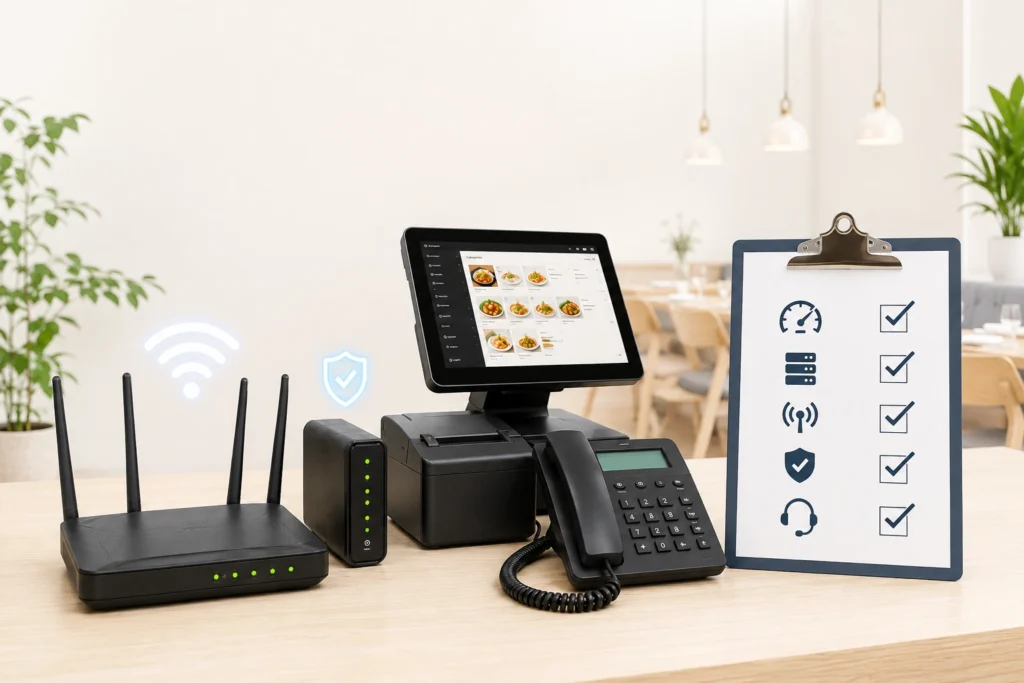
The restaurant internet checklist
- ☐ Business-grade connection, not residential.
- ☐ Enough bandwidth for POS, payments, ordering, cameras, and guest WiFi at peak.
- ☐ Automatic 4G or 5G failover on a separate carrier.
- ☐ Traffic prioritization so payments and orders come first.
- ☐ PCI-compliant managed firewall and security.
- ☐ Separate guest WiFi network.
- ☐ A real uptime guarantee with proactive monitoring and live support.
- ☐ One partner and one bill for internet, backup, phones, and security.
The last point is what ties it together. Running internet, backup, phones, and security through one managed provider means a single team owns your uptime, instead of four vendors pointing fingers. To see how your locations measure up, get a free cost analysis.
Frequently Asked Questions
What internet speed does a restaurant need?
It depends on how many systems run at peak, including POS, payments, kitchen displays, cameras, online ordering, and guest WiFi. The priority is a business-grade connection with enough headroom at peak and automatic failover, rather than simply the highest advertised speed.
What is the difference between business and residential internet?
Business internet offers stronger reliability commitments, business-grade support, options like static IPs, and the ability to add automatic failover and managed security. Residential plans are cheaper but are not built for payment processing or guaranteed uptime.
Do restaurants need a static IP address?
Often yes. Static IPs are commonly required for certain payment systems, security cameras, VPNs, and remote management. Business internet providers can supply them, while most residential plans cannot.
How much does business internet for a restaurant cost?
It varies by location, speed, and the services bundled in, such as backup, phones, and security. Most multi-unit groups buy it as a managed package with one bill rather than piecing together separate vendors, which usually lowers the total cost of ownership.
Should guest WiFi be on the same network as the POS?
No. Guest WiFi should run on a separate network from POS and payment systems for both performance and security, and to support PCI compliance.
See how your locations measure up.
Get a free cost analysis across internet, backup, phones, and security.