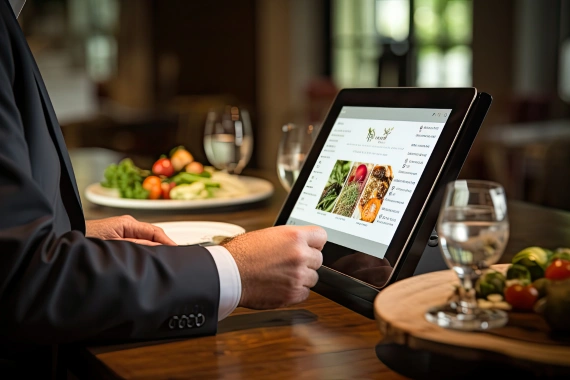
Online ordering is no longer a supplemental revenue channel — for most restaurants, it represents 20 to 40 percent of total sales. That number has been growing every year since 2020, and it will keep growing. The platforms powering those orders — your own website, your branded app, DoorDash, Uber Eats, Grubhub, and the middleware aggregators that tie them together — all depend on a continuous, reliable internet connection at your location. When that connection breaks, orders stop.
How Online Ordering Platforms Communicate With Your Restaurant
Every online order triggers a real-time data flow between the customer-facing platform, the order management system, and your POS or kitchen display. That flow typically looks like this: a customer places an order on your website or a third-party app. The platform sends an API call or webhook to your order management system. The order management system pushes the ticket to your POS and KDS. Your POS confirms receipt and updates inventory. The platform sends the customer a confirmation and estimated time.
Each step in that chain requires an active internet connection at your restaurant. If your connection drops between step two and step four, the order confirmation never fires, your kitchen never sees the ticket, and the customer is waiting for food that no one started making.
Uptime Standards by Platform Type
Different platforms handle connectivity loss differently. Understanding those differences helps you plan your redundancy strategy.
- First-party ordering (your website or app): Most first-party platforms — Olo, Bopple, Flipdish, and similar — require a persistent connection. If your restaurant’s connection drops, incoming orders queue on the platform side but do not reach your POS until connectivity is restored. Depending on your queue settings, orders may auto-cancel after a timeout period.
- Third-party aggregators (DoorDash, Uber Eats, Grubhub): These platforms have their own uptime infrastructure, but they rely on your in-store hardware — typically a tablet or a direct POS integration — to receive and confirm orders. A connection loss at your location means orders go unacknowledged. Platforms will typically retry confirmation for two to five minutes before auto-canceling and issuing the customer a refund.
- Middleware aggregators (Otter, Deliverect, ItsaCheckmate): These tools consolidate orders from multiple platforms into a single stream to your POS. They introduce an additional dependency — if the aggregator cannot reach your POS due to connectivity loss, the queue breaks at that point. Most middleware platforms have buffering and retry logic, but buffered orders still need a live connection to eventually clear.
The Cost of Online Ordering Downtime
The math is straightforward. If your restaurant does $800 in online orders during a typical dinner service and your internet goes down for 45 minutes, you are likely to lose $200 to $300 in orders — plus the refunds, cancellations, and negative reviews that follow.
The indirect costs are harder to measure but just as real. A customer who places an order and never gets a confirmation does not call you. They leave a one-star review and order from a competitor. DoorDash and Uber Eats track your cancellation rate and order acceptance rate — consistent failures push your restaurant down in their ranking algorithm, reducing visibility and organic orders.
Latency Matters as Much as Uptime
Uptime is binary — you either have a connection or you don’t. But latency affects online ordering even when your connection is technically up. High latency (above 100ms to your platform’s API endpoint) causes slow order confirmation, delayed ticket printing, and intermittent KDS failures that look like random errors rather than a connectivity problem.
If your team regularly experiences ‘ghost tickets’ — orders that appear on the third-party tablet but not on the KDS — or delayed confirmation emails, latency is often the culprit. A speed test showing 50 Mbps download does not rule out a latency problem. Test with a ping to your POS provider’s API endpoint and look for consistent sub-50ms response times.
What Your Network Needs to Support Online Ordering Reliably
Supporting a high-volume online ordering operation requires more than a fast internet connection. The infrastructure requirements include:
- Dedicated bandwidth allocation for ordering systems, separate from guest WiFi
- QoS rules that prioritize ordering platform traffic over non-critical traffic
- Dual-WAN failover with automatic switchover under 60 seconds
- Network monitoring that alerts on latency spikes, not just total outages
- Wired connections for ordering tablets and POS integrations where possible
Preparing for High-Volume Ordering Periods
The risk of online ordering downtime is highest when you can least afford it — Friday and Saturday evenings, lunch rush, and holiday periods when order volume spikes. These are also the periods when your network is under the most load from every other system simultaneously.
Operators who have experienced an ordering platform outage during a peak shift almost universally report the same thing: they had no warning, no automatic fallback, and no clear procedure for the team to follow. A managed connectivity solution addresses all three — proactive monitoring alerts before a failure becomes an outage, automatic failover keeps orders flowing, and a defined support escalation means someone is working the problem from the moment it starts.
Frequently Asked Questions
What happens to online orders when a restaurant’s internet goes down?
Orders queue on the platform side and retry confirmation for two to five minutes. After that window, most platforms auto-cancel the order and refund the customer. Your cancellation rate and platform ranking are affected.
How much uptime do restaurants need for online ordering?
Restaurants should target 99.9% uptime or better for ordering systems. That translates to no more than eight hours of downtime per year. Achieving that requires a primary connection plus an active 4G/5G failover.
Does latency affect online ordering even if the internet is working?
Yes. Latency above 100ms to your platform’s API endpoint causes delayed confirmations, slow ticket routing, and intermittent KDS failures. A high-speed connection with poor latency can still disrupt ordering operations.
Can I use a hotspot as a backup for online ordering?
A mobile hotspot is better than nothing, but it introduces a manual switchover step that costs time. Automated failover using a managed 4G/5G router is faster and more reliable for production environments.
Keep your online orders flowing during an outage.
Get a free cost analysis of failover, QoS, and monitoring for your ordering systems.