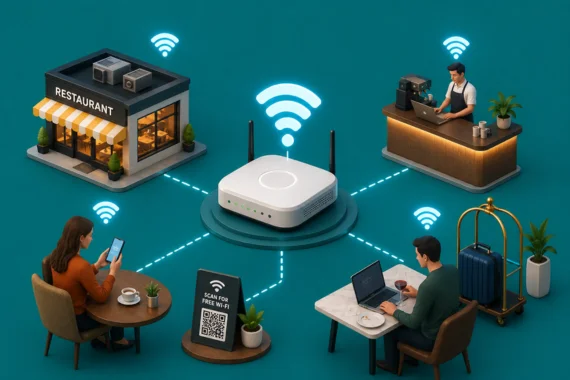
Guest WiFi stopped being a nice-to-have years ago. Customers expect it. Delivery drivers need it to manage orders at the counter. Staff use it for tablet-based POS systems, kitchen displays, and digital order management. In a hospitality property, guests expect it to work in every room, not just near the lobby router.
The gap between a WiFi setup that technically provides internet access and one that actually performs well under real load is where most restaurants and hospitality operators run into trouble. A consumer router from the office supply store, a single access point in the ceiling, and a shared internet connection serving guests, staff, and payment systems is not a managed WiFi solution. It is a liability.
This guide covers what managed WiFi means in practice, why segmentation matters for compliance and security, and what a professionally designed WiFi network looks like for restaurants, hotels, and multi-unit hospitality operations.
What Managed WiFi Actually Means
Managed WiFi is not a specific piece of hardware. It is a service model. A managed WiFi provider designs, installs, configures, monitors, and maintains your wireless network. When something fails, the provider addresses it. When you open a new location, the provider deploys a consistent configuration. When the access point in the back dining room starts dropping connections, the monitoring system catches it before guests complain.
For restaurant and hospitality operators, the relevant elements of managed WiFi are: access point placement and coverage design, VLAN segmentation between guest, staff, and payment networks, bandwidth management and QoS configuration, firmware and security update management, and centralized monitoring across all locations.
The alternative to managed WiFi is self-managed WiFi: you buy the equipment, configure it, replace it when it breaks, and troubleshoot it when a manager calls because the dining room has no signal. For a single location that is manageable. For a franchise group or hotel property with 50 or 100 access points, it is a full-time job that most operators are not staffed to handle.
Why Guest WiFi and Business Systems Must Be Separate
This is the most common and most consequential mistake in restaurant and hospitality WiFi deployments: running guest internet access and business systems on the same network.
When a customer connects to your WiFi, they are on your network. If that network is the same one your POS, payment terminals, and kitchen systems use, that customer has potential access to your business infrastructure. This is not a theoretical risk. It is the reason PCI DSS specifically requires network segmentation between guest-facing networks and payment systems.
A properly segmented WiFi network uses VLANs (Virtual Local Area Networks) to create separate, isolated network paths for different traffic types. Guests get internet access. Staff devices get access to business applications. Payment terminals get a dedicated, highly restricted network segment. These networks do not cross-communicate.
Vivant’s SmartPROTECT service configures this segmentation correctly at installation and maintains it over time. For operators who are currently running a single flat network, remediating this is the highest-priority network security action you can take. See PCI compliance service for specifics on what PCI segmentation requires.
Coverage Design for Restaurant and Hospitality Environments
Restaurant and hospitality WiFi environments are physically complex. Thick concrete walls, commercial kitchen equipment, steel shelving, and HVAC systems all interfere with wireless signal propagation. A WiFi network designed for an open-plan office does not translate to a 200-seat restaurant with a bar, a private dining room, a patio, and an industrial kitchen.
Coverage design starts with a site survey. Access points are placed based on signal propagation modeling, not guesswork. In a hospitality property, this means accounting for every room, corridor, and common area. In a restaurant, it means ensuring coverage in the dining room, bar area, back of house for staff devices, and outdoor seating if applicable.
💡 The number of access points matters less than their placement and configuration. A well-placed five-access-point network outperforms a poorly placed ten-access-point network every time. Managed WiFi providers design for coverage and capacity — not just device count.
Bandwidth Management: Keeping Business Systems Fast When the House Is Full
A Saturday night dinner rush is the worst time to discover that your guest WiFi is consuming all available bandwidth. When a table of four is streaming video and your kitchen display system is timing out on order confirmations, you have a QoS problem.
Quality of Service (QoS) configuration prioritizes specific types of network traffic over others. In a restaurant or hotel, business-critical traffic — payment processing, POS communications, delivery platform connections, and VoIP phone calls — gets prioritized over guest internet browsing. Guests still get a responsive connection. Critical business systems get guaranteed bandwidth even when the network is under load.
💡 Vivant’s managed WiFi service includes QoS configuration as a standard component, not an add-on. Combined with our business internet service and SmartCONNECT failover, your business systems stay fast and available regardless of how many guest devices are connected.
Managed WiFi for Multi-Unit Restaurant Groups and Hotel Chains
The operational argument for managed WiFi is clearest at multi-unit scale. A restaurant group with 15 locations running self-managed WiFi has 15 different configurations, 15 different firmware versions, 15 different support contacts, and 15 separate monitoring setups — or none at all.
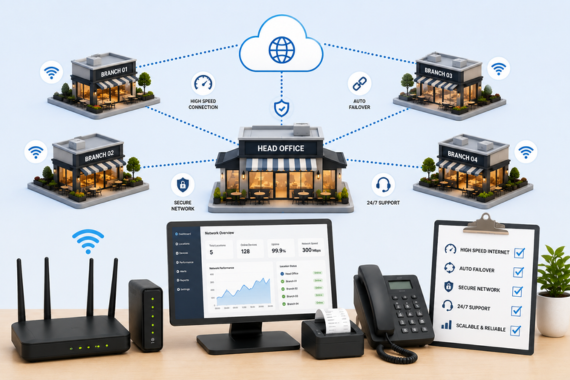
Vivant’s managed WiFi service standardizes all of this. Every location runs the same configuration. Firmware updates deploy across the fleet centrally. Monitoring covers all locations from one dashboard. When a location has a WiFi issue, it shows up in the monitoring system — not in a manager’s phone call to the area director. This is the same centralized model as Vivant’s managed network service for broader connectivity management.
For hotel and hospitality groups, managed WiFi is even more operationally intensive to run in-house. A hotel property with 150 rooms and multiple common areas might have 80 or more access points. Guest expectations for hospitality WiFi are high. When a business traveler cannot get reliable connectivity in their room, it shows up in the review. Managed WiFi with professional monitoring and rapid response to issues protects your property’s reputation directly.
Vivant serves operators including Caddo co-working spaces across nine locations and Pura Vida Miami. The operational model is the same whether the end users are hotel guests, co-working members, or restaurant diners: reliable, segmented, centrally managed wireless infrastructure.
What Vivant’s Managed WiFi Includes
Vivant’s managed WiFi service covers site survey and coverage design, enterprise-grade access point hardware, VLAN segmentation for guest, staff, and payment networks, QoS configuration, centralized monitoring, firmware management, and on-site support. It works as a standalone service or as part of a broader connectivity stack including primary internet, SmartCONNECT backup, and SmartPROTECT PCI compliance.
For operators looking to consolidate vendors, this means one provider managing your internet, failover, WiFi, phone systems, and compliance in a single managed service relationship. Contact Vivant to discuss your specific environment.
Related Topics in This Series
Related: Ghost Kitchen Internet Requirements for the specific WiFi and connectivity needs of delivery-only operations.
Also see: Franchise Multi-Unit Connectivity Guide for how managed WiFi fits into a broader multi-unit connectivity strategy.
FAQ
What is managed WiFi for restaurants?
Managed WiFi is a service model where a provider designs, installs, configures, monitors, and maintains your restaurant’s wireless network. It includes coverage planning, access point placement, VLAN segmentation between guest and business networks, QoS configuration for traffic prioritization, and centralized monitoring. The alternative is self-managed WiFi, where the operator buys and maintains their own equipment.
Does guest WiFi need to be on a separate network from the restaurant POS?
Yes. PCI DSS compliance requires network segmentation between guest-facing networks and payment card systems. Running guest WiFi on the same network as your POS creates a compliance violation and a genuine security risk. A properly configured restaurant WiFi network uses VLANs to isolate guest, staff, and payment traffic into separate, non-communicating segments.
How many WiFi access points does a restaurant need?
The number of access points depends on the size and layout of the space, construction materials, and the density of connected devices. A small quick-service restaurant might need two to four access points. A 200-seat full-service restaurant with indoor and outdoor dining could need eight or more. Access point placement based on a site survey is more important than raw device count.
What is QoS and why does it matter for restaurant WiFi?
QoS, or Quality of Service, is a network configuration that prioritizes specific types of traffic over others. In a restaurant, QoS ensures that payment processing, POS communications, and VoIP phone calls get bandwidth priority over guest internet browsing. Without QoS, a busy guest WiFi network can slow down or interrupt business-critical systems during peak hours.
How does managed WiFi work across multiple franchise locations?
A managed WiFi service standardizes the configuration across all locations, deploys firmware updates centrally, and monitors all locations from a single dashboard. When a location has a coverage or performance issue, the monitoring system flags it without requiring a manager to report it manually. This is significantly more efficient than managing each location’s WiFi independently.
What is the difference between consumer and commercial WiFi equipment for restaurants?
Consumer WiFi equipment is designed for home use with a handful of devices and moderate traffic. Commercial restaurant environments have dozens to hundreds of connected devices, dense radio frequency environments from other businesses and consumer devices nearby, and business-critical systems that require consistent uptime. Commercial access points are designed for high device density, better signal management in congested RF environments, and centralized management capabilities that consumer equipment does not support.
Ready to upgrade to professionally managed WiFi for your restaurant or hospitality property?
Vivant designs, installs, and monitors enterprise-grade WiFi networks — with VLAN segmentation, QoS, and centralized management across every location.