A restaurant that cannot process cards is a restaurant that is turning away revenue. Most operators understand this in theory. Fewer have built the network infrastructure to back it up in practice.
Card processing is one of the most network-dependent functions in your restaurant, and it is one of the least tolerant of outages. A fifteen-minute internet failure during a Saturday dinner rush is not just an inconvenience. It is a line out the door, a manager scrambling for an apology, and customers who do not come back.
This guide covers the network requirements for reliable payment processing, how backup internet failover works in a restaurant environment, and what PCI compliance requires of your network setup.
Why Internet Connectivity Is Your Payment System’s Single Point of Failure
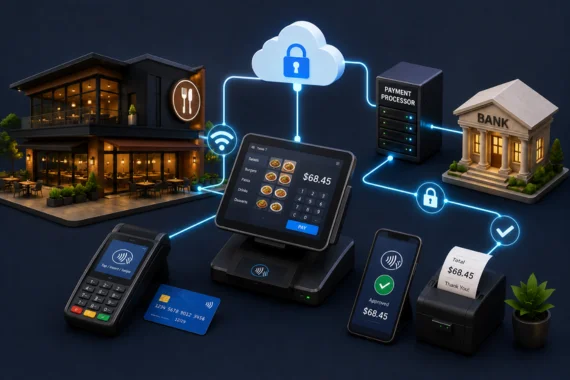
Modern card processing runs over IP. Whether you are using a traditional terminal, an integrated POS, a mobile tablet, or contactless payments at the table, every transaction touches your internet connection. When that connection drops, your payment system goes with it.
The difference between a restaurant that handles a connectivity hiccup and one that shuts down card processing for an hour comes down to one thing: whether they have a backup circuit that activates automatically.
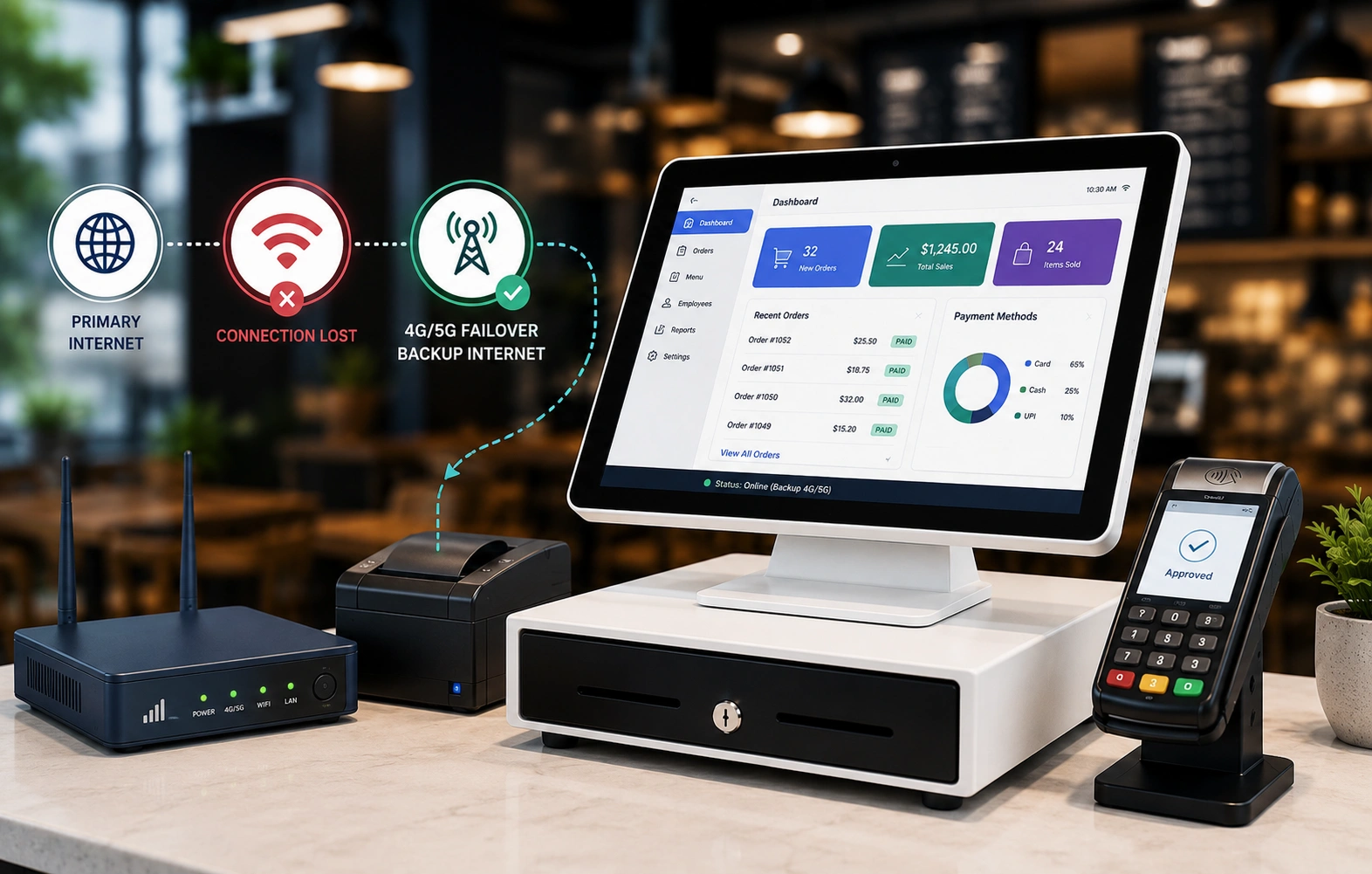
A good backup internet setup monitors your primary connection continuously and fails over to a secondary circuit when it detects a drop. The switchover happens automatically, typically within 30 seconds, without anyone touching a router or calling an ISP.
How Failover Internet Works in a Restaurant
A robust failover setup uses an LTE or fixed wireless secondary connection as the fallback path. When your primary fiber or cable circuit fails, the backup circuit takes over at the network level. Your POS, payment terminals, and any other connected systems continue operating without interruption.
The key distinction between this type of backup internet and a simple hotspot setup is management. A hotspot requires someone to notice the outage, pull out a phone, enable tethering, and manually redirect traffic. That takes time you do not have during peak service. Your backup connection should be fully automated. The failover happens before your staff notices anything is wrong.
For multi-unit operators, Vivant’s backup internet, SmartCONNECT, reports failover events centrally. You can see which locations are on backup circuits at any given moment and for how long. That visibility matters when you are managing connectivity across five or twenty locations.
PCI DSS Requirements and Your Network
Processing credit cards obligates you to PCI DSS compliance. The Payment Card Industry Data Security Standard has specific requirements for how your network is configured, how cardholder data is segmented, and how your systems are monitored.
Relevant requirements for restaurant operators include: network segmentation between your payment environment and your general restaurant network (including guest WiFi), firewall configurations that restrict access to cardholder data systems, and logging requirements for network access.
Most small to mid-size restaurant operators are not equipped to manage PCI compliance internally. Vivant’s SmartPROTECT service handles this. It provides the network segmentation, firewall management, and compliance documentation that PCI DSS requires, specific to your restaurant’s configuration.
💡 Guest WiFi and payment systems must be on separate network segments. Running your customer-facing WiFi on the same network as your POS is a PCI violation and a genuine security risk. SmartPROTECT segments these correctly at installation.
Bandwidth Requirements for Payment Processing
Card processing itself does not require large amounts of bandwidth. A single payment transaction is a small data packet. What it does require is low latency and high reliability. A slow, inconsistent connection that technically works will still cause terminal timeouts and declined transactions.
For a typical restaurant running a multi-terminal POS, integrated ordering tablets, and staff devices, Vivant recommends a minimum of 50 Mbps symmetric on your primary circuit with a dedicated VLAN for payment systems. Our business internet service is provisioned for this kind of segmented, production use.
💡 If you are also running Voice AI phone ordering, self-order kiosks, or digital menu boards on the same connection, size up accordingly. The payment segment should always have dedicated bandwidth with QoS prioritization so a guest streaming video on your WiFi does not degrade transaction processing speed.
What Happens When the Backup Circuit Comes Up
When SmartCONNECT activates a failover, there are a few things that happen that operators should understand. First, any open TCP sessions at the moment of failover will drop and need to reconnect. In practice, this means a payment terminal mid-transaction may need the transaction re-run. This is why speed matters: faster failover means fewer mid-transaction drops.
Second, if your Voice AI, VoIP phone system, or other real-time services are running, they will also switch to the backup circuit. Call quality may differ slightly on LTE backup versus primary fiber, but the service stays live.
Vivant’s restaurant phone systems are configured to handle failover gracefully. When we set up a restaurant’s network, we account for the full traffic load that needs to survive a primary circuit failure, not just card processing.
Related Topics in This Series
Related: Voice AI at the Table for how Voice AI phone ordering depends on the same network infrastructure covered here.
Also see: Franchise Multi-Unit Connectivity Guide if you are managing connectivity across multiple locations.
FAQ
What is managed WiFi for restaurants?
Managed WiFi is a service model where a provider designs, installs, configures, monitors, and maintains your restaurant’s wireless network. It includes coverage planning, access point placement, VLAN segmentation between guest and business networks, QoS configuration for traffic prioritization, and centralized monitoring. The alternative is self-managed WiFi, where the operator buys and maintains their own equipment.
Does guest WiFi need to be on a separate network from the restaurant POS?
Yes. PCI DSS compliance requires network segmentation between guest-facing networks and payment card systems. Running guest WiFi on the same network as your POS creates a compliance violation and a genuine security risk. A properly configured restaurant WiFi network uses VLANs to isolate guest, staff, and payment traffic into separate, non-communicating segments.
How many WiFi access points does a restaurant need?
The number of access points depends on the size and layout of the space, construction materials, and the density of connected devices. A small quick-service restaurant might need two to four access points. A 200-seat full-service restaurant with indoor and outdoor dining could need eight or more. Access point placement based on a site survey is more important than raw device count.
What is QoS and why does it matter for restaurant WiFi?
QoS, or Quality of Service, is a network configuration that prioritizes specific types of traffic over others. In a restaurant, QoS ensures that payment processing, POS communications, and VoIP phone calls get bandwidth priority over guest internet browsing. Without QoS, a busy guest WiFi network can slow down or interrupt business-critical systems during peak hours.
How does managed WiFi work across multiple franchise locations?
A managed WiFi service standardizes the configuration across all locations, deploys firmware updates centrally, and monitors all locations from a single dashboard. When a location has a coverage or performance issue, the monitoring system flags it without requiring a manager to report it manually. This is significantly more efficient than managing each location’s WiFi independently.
What is the difference between consumer and commercial WiFi equipment for restaurants?
Consumer WiFi equipment is designed for home use with a handful of devices and moderate traffic. Commercial restaurant environments have dozens to hundreds of connected devices, dense radio frequency environments from other businesses and consumer devices nearby, and business-critical systems that require consistent uptime. Commercial access points are designed for high device density, better signal management in congested RF environments, and centralized management capabilities that consumer equipment does not support.
Ready to upgrade to professionally managed WiFi for your restaurant or hospitality property?
Vivant designs, installs, and monitors enterprise-grade WiFi networks — with VLAN segmentation, QoS, and centralized management across every location.