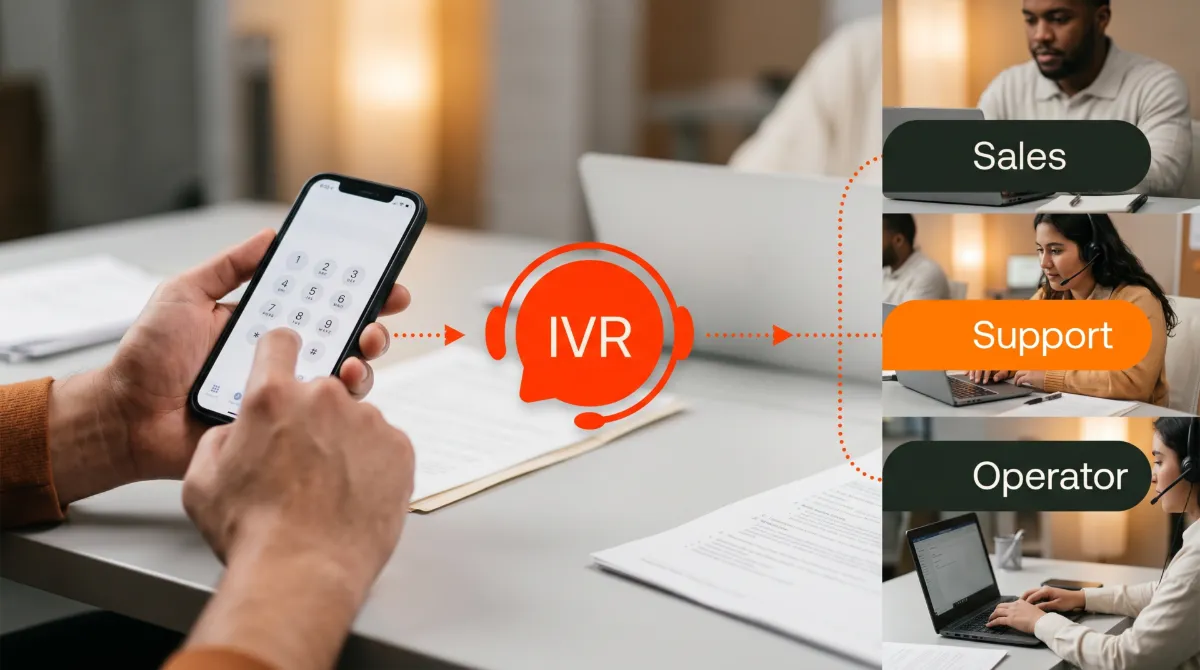
IVR stands for Interactive Voice Response. It is an automated phone menu. IVR routes callers based on the keys they press or the words they speak. No human receptionist has to pick up and transfer every call by hand.
An interactive voice response system collects information before connecting a caller. That might be an account number, an appointment date, or a reason for calling. The system passes that information straight to whoever picks up. The conversation starts in the right place instead of from scratch.
For any business where the phone rings constantly, IVR keeps calls moving without adding headcount. It is easy to use and set up. Below, we cover how a multi-level IVR menu differs from a basic one. We also cover what a multi-level system can do beyond simple routing, and when your business actually needs that extra layer.
How does IVR work?
IVR uses a straightforward structure every time a customer calls.
The IVR system answers instantly with a recorded greeting and a short list of menu options. The caller picks one by pressing a key or speaking a voice command. The system then routes the call to the right desk line, mobile app, department, or voicemail box, with no one transferring it by hand.
For example, a busy restaurant handles calls for reservations, takeout orders, and general questions. Without IVR, every call lands on whoever picks up first, and that person has to figure out where to send it. With IVR, a caller who presses 1 goes straight to the reservations line. Press 2 reaches the kitchen. Press 3 plays recorded business hours. Each team member handles only the calls meant for them. That is also what drives first call resolution up: the right person picks up once, instead of a caller getting passed around.
You set up this call routing once, inside a cloud phone system dashboard. No technician visit is required, and there is no hardware to install. The system runs continuously in the background and handles every incoming call the same way, every time. The same phone tree logic works whether the caller uses the keypad or voice commands.
It is the foundation every multi-level IVR system builds on.
What is multi-level IVR?
The restaurant example above is a single-level IVR menu, sometimes just called a phone tree. It offers one list of menu options, one round of key presses, one destination. That works fine when a business has only a handful of places to send a call.
It breaks down once a business has more departments, more locations, or more languages than a single-level menu can hold clearly.
A multi-level IVR menu, also called a nested IVR menu or a layered auto-attendant, solves that problem. It turns one flat list of options into a small hierarchy. Callers hear a main menu first. One or more of those options then open into their own sub-menu before the call routing finishes. Instead of “press 1 for sales, press 2 for support, press 3 for billing” on one menu, a caller might press 1 for a location. Then, within that location’s sub-menu, they press 2 for the department they need. From there, they land on the right voicemail box, call queue, or live line.
Multi-level IVR vs. a basic menu
The two setups are easy to tell apart:
- Single-level IVR presents every routing option in one menu, generally no more than about ten choices, and sends the caller straight to a destination after one key press.
- Multi-level IVR starts with a shorter main menu. One or more of those options branch into a second or third sub-menu before the call reaches its destination.
People often use “auto-attendant” and “IVR menu” to mean the same thing, and for a basic single-level setup, they are. The distinction shows up once a second menu level enters the picture. A plain auto-attendant is typically built to handle call routing and stop there. A multi-level IVR system can also collect information as the caller moves through each sub-menu. Whoever answers already knows the caller’s location, department, and reason for the call. That is a different job than a large contact center’s IVR handles. Vivant’s multi-level IVR is sized for a business with a handful of locations and departments, not hundreds of agents in a queue.
Some multi-level IVR systems layer in extras beyond routing. Voice recognition, often built on natural language processing (NLP), lets callers say what they need instead of pressing keys. Text-to-speech generates greeting audio without a studio recording. Database integration with a CRM means a returning caller’s account information is already on screen before anyone answers. Most small businesses do not need all of that on day one.
It is worth knowing a multi-level IVR system can grow into these features as call volume and complexity increase.
A multi-level IVR example for a multi-location business
Picture a medical practice with offices across the DFW, Chicago, and Houston metro areas. Each office handles its own mix of new patients, existing patients, and billing questions, in English and Spanish.
A single flat menu covering every office, language, and department at once would run well past ten options. Callers would hunt through a long list just to find their city.
A multi-level menu handles it cleanly instead:
- The caller dials the practice’s main number and hears a greeting with a language prompt: “For English, press 1. Para espanol, oprima el dos.”.
- After the language selection, the caller hears a location sub-menu: “For our DFW office, press 1. For Chicago, press 2. For Houston, press 3.”.
- Choosing a location opens that office’s own department sub-menu: “For appointment scheduling, press 1. For a prescription refill, press 2. For billing, press 3. To speak with our team, press 0.”.
- The call routes to the right ring group, voicemail box, or live representative for that office and department. No front-desk staff member has to ask which office or language the caller needs, because the caller’s account information already points to the right chart.
The same approach works beyond healthcare
This layered structure works just as well for a multi-department retail or hospitality business. It also fits a law firm splitting calls between practice areas, or a home services company routing between emergency and scheduled work. The shape stays the same. A short main menu leads to a handful of focused sub-menus. The caller reaches the right person in two or three quick steps instead of getting transferred around.
A more advanced multi-level IVR system pairs this with voice recognition, natural language processing, and database integration against your practice management or CRM system. A returning caller’s account information then appears automatically instead of getting asked for twice. Most small businesses start simpler, with plain keypad and voice commands routing, and add that kind of database integration later once call volume justifies it.
When does your business need multi-level IVR?
Not every business needs a layered phone menu. Forcing one in too early just adds an extra step for callers who did not need it. A single-level menu is still the right call for a small, single-location business with only a few places to send an incoming call.
Consider adding a second menu level once any of the following is true:
- You operate more than one location and need to route callers to the right city or region before offering department options.
- You offer service in more than one language and want that language selection, bilingual or multilingual, to carry through the rest of the call.
- Your main menu is already pushing past eight or nine options and starting to feel like a list instead of a menu.
- You have departments that split further into their own sub-departments, such as an “appointment scheduling” option that branches into new-patient and existing-patient booking.
- You want a separate after-hours routing path, with more than one layer of its own, rather than a single blanket “leave a message” option.
If none of those describe your business yet, a single-level menu will keep working fine. If two or more of them do, a multi-level IVR system will save your front desk from repeat transfers, and save your callers from getting bounced around.
What are the business benefits of IVR?
IVR lets businesses handle high call volume without adding staff. Here are four areas where it helps:
Faster call handling
Callers reach the right person or department on the first try. There is no hold time while a receptionist works out who to transfer them to, and no risk of calls bouncing between desks before landing somewhere useful. Fewer handoffs means fewer chances for a caller’s issue to get dropped along the way, which is the biggest driver of first call resolution.
Fewer missed calls
When a caller selects a menu option and no one is available, IVR queues the call or routes it to that department’s voicemail box. Calls no longer go missing simply because the front desk was busy, even during a spike in call volume.
After-hours coverage
IVR keeps working when your staff does not. Callers who ring after hours hear recorded information about your business hours, location, or online ordering link, instead of a phone that simply rings out. After-hours routing can use its own short menu, so an emergency call and a “just checking your hours” call do not get treated the same way.
Consistent routing across multiple locations
For businesses with more than one location, IVR creates a uniform call experience no matter which branch a customer reaches. This is where a multi-level menu earns its keep. A medical practice with offices in DFW, Chicago, and Houston can route appointment, billing, and prescription-refill calls the same way across every office. A location layer sits up front, with a matching department sub-menu, ring group, or call queue underneath it. No location handles calls differently, and no caller has to explain where they are calling from before getting help.
The result: IVR handles the triage work that would otherwise fall on a person, freeing staff to focus on the customers already in front of them.
IVR for small businesses: Is it worth it?
People often assume IVR systems are reserved for large corporate call centers, but that is not the case. Any business with an active front desk that rings constantly during busy hours benefits immediately.
A restaurant during the Friday dinner rush has a host who is busy seating tables. If the phone rings and no one picks up, that becomes a missed reservation, a missed takeout order, or a customer who calls a competitor instead. IVR answers before anyone has to. A visual voicemail feature is also worth exploring here, since it lets staff prioritize a message instead of listening through a queue.
The same situation plays out at a dental office managing appointment calls. It also plays out at a car dealership that needs to keep sales and service lines separate, or an HVAC company where technicians are in the field and the office runs on a smaller staff.
Cloud-based IVR systems are included in modern phone plans today, rather than sold as costly add-ons. The price barrier that once made IVR a large-business-only tool no longer exists for most small businesses. That includes multi-level menus: adding a second layer is a configuration change, not an upgrade to a different product.
The real question is not whether a small business can afford an interactive voice response system. It is whether the business can afford to keep missing calls during its busiest hours.
AI receptionist vs. IVR: which does my business need?
Both an AI receptionist and an IVR menu solve the same problem: too many calls, not enough hands to answer them all.
The difference is how they listen. An IVR plays a fixed menu and waits for a touch-tone or a short spoken command — “say ‘billing’ or press 2.” It’s interactive voice response in the literal sense: a scripted back-and-forth, not a real conversation. An AI receptionist, sometimes called an AI voice agent, uses conversational AI and speech recognition.
It figures out caller intent from a full sentence, not a menu choice. It can hold something closer to an actual conversation. That means routing the call, booking an appointment, or answering the question outright.
When IVR Is Enough
IVR is the right fit when your call routing is simple and repeatable. Think a handful of departments and a predictable set of reasons people call.
Your callers are already used to “press 1 for hours, press 2 for appointments.” Interactive voice response is inexpensive to set up and easy for staff to maintain. It’s more than enough for after-hours routing when all you need is a recorded message and a voicemail box. If your phone system already uses an auto attendant for this kind of menu-driven routing, that’s a good sign.
There’s often no reason to replace a working IVR with an AI voice agent. If most calls already sort cleanly into two or three reasons people call, a well-tuned auto attendant will serve you fine.
When an AI Receptionist Is the Better Fit
An AI receptionist is the better fit once calls stop being predictable.
Restaurants juggle reservations and takeout orders. Healthcare practices field scheduling and insurance questions. Professional services firms miss calls after hours. All three tend to get calls that don’t fit neatly into a fixed IVR menu. An AI voice agent’s natural language processing lets a caller just say what they need. There’s no hunting for the right option on an auto attendant, which cuts missed calls and shortens the path to an answer.
It also handles human escalation more gracefully. When a caller gets frustrated, or asks for something outside the AI’s scope, a well-built AI receptionist recognizes that. It routes straight to a person instead of looping the caller through more menu options.
Why Not Both?
The two aren’t strictly either/or. A common middle ground: keep IVR-style routing for a few well-known departments, like billing, support, and sales.
Then layer an AI voice agent on top to catch everything else, and to cover every call after-hours. That hybrid setup gives you IVR’s low cost and simplicity for routine traffic. For everything else, an AI receptionist‘s conversational AI and personalization take over. That includes after-hours calls that feel less like a recording and more like a real exchange.
If your team spends real time decoding voicemails to guess what callers wanted, that’s a sign — an AI receptionist is worth the move. The same goes if missed after-hours calls are costing you bookings. Either way, both an IVR and an AI voice agent aim at the same outcome. That’s a personalized answer, or a clean handoff to a person, faster than letting the phone just ring.
Judge each option by that experience, not by which one sounds more modern. Getting calls that don’t fit a fixed menu? See how an AI receptionist handles the calls IVR can’t.
How to set up IVR for your business?
Setting up an IVR does not require a technician visit or a complicated installation. Modern cloud phone systems let you configure call menus directly from a dashboard, often in under an hour.
Most include a visual IVR editor and a drag-and-drop call flow builder that lays out every menu option on one screen. The same process applies whether you are building a single menu or a multi-level one.
The three-step setup process
Setup comes down to three steps: mapping your routing logic, recording short greeting scripts, and assigning each menu option to the right destination.
Routing logic is the list of decisions a caller can make with the keypad or a voice command. For example: press 1 for reservations, press 2 for takeout orders, press 0 to speak with the team. Build this around the most common reasons your customers call. For a multi-level menu, you build this logic twice: once for the main menu, and once for each sub-menu underneath it.
Greeting scripts are the short recorded messages that play when someone calls. Record them live, or generate them with text-to-speech. They do not need to be elaborate. A clear message that covers the menu options in 10 to 15 seconds is enough, whether it is the main greeting or a sub-menu’s own short prompt.
Destination assignments tell the system where each option routes: a phone extension, a ring group, a call queue, a mobile number, a department voicemail, an after-hours message, or another menu layer. Once assigned, routing happens automatically on every call. Most call flow builders also support text-to-speech for greetings and prompts, if you would rather not record every one yourself.
Most cloud phone platforms walk you through each step. If your provider includes live support, a real person can help you build out your menu, including any sub-menus, on the first call.
Best practices for a multi-level IVR menu
A layered menu only helps callers if it stays easy to navigate. A few habits keep a multi-level IVR system working the way it should:
- Keep each level short. Aim for no more than four or five options per menu, main menu or sub-menu alike. A caller trying to hold nine choices in their head will hang up before choosing one.
- Stop at two or three levels. Most businesses never need a fourth layer. Every extra menu layer adds time and gives callers one more chance to get lost.
- Always leave a way out. Include a “press 0 to speak with our team” option at every level, not just the main menu, so no caller feels stuck.
- Let callers back up. A key that returns to the previous menu means a wrong selection costs a caller one button press, not a full hang-up and redial.
- Keep it current. Update the menu whenever a department, location, or set of business hours changes, so no option routes to a line that no longer picks up.
- Test every path before it goes live. Call through each branch yourself, including the after-hours version and a deliberately wrong key press.
- Build it in a visual editor, not blind. Use your provider’s visual IVR editor to see every option on one screen before you publish a menu live. A drag-and-drop call flow builder catches dead ends that a plain text list of routing rules would miss.
Stop missing calls your business should be answering
IVR removes one of the most consistent problems in a small business phone setup. Callers no longer wait, get transferred to the wrong place, or give up because no one answered in time.
Built into a cloud phone system, IVR adds no hardware cost, no complicated installation, and no ongoing maintenance. The menu, single-level or multi-level, works the same way every day, without any staff involvement, and keeps improving the customer experience call after call.
Why choose Vivant for IVR
A provider that checks all these boxes saves you real time and real money.
Vivant’s business phone service includes interactive voice response and multi-level call routing as out-of-the-box features. Adding a second menu layer costs no extra fees and needs no setup visit. You also get full support from a human representative whenever you need it. For businesses managing multiple locations, from a single DFW office to a footprint spanning DFW, Chicago, and Houston, every line follows the same routing logic, all managed under one account.
Book a free consultation with us today to see how IVR, including a multi-level menu if your business needs one, fits into your business.
You might keep things simple with a single-level menu, or build out a full multi-level system with a location layer, a language step, and a department sub-menu. Either way, the goal stays the same. Every caller should reach a live person, a call queue, or the right voicemail box on the first try. That should hold true during business hours and after hours alike.
No one should need an escalation to a manager just to reach the front desk by accident. That is the customer experience Vivant’s auto-attendant and IVR system are built to deliver, across every location on your account, even during a spike in call volume.
Frequently asked questions
What does IVR stand for?
IVR means Interactive Voice Response.
It is the technology behind automated phone menus: the systems that answer your call, present menu options, and route you to the right place without a live receptionist.
What is a multi-level IVR system?
A multi-level IVR system is a phone menu with more than one layer. A main menu leads into one or more sub-menus before the call is finally routed.
It is the setup behind a call like “press 1 for our Chicago office, then press 2 for billing.” The first key press narrows things down, and the second finishes the job. Businesses with multiple locations, a language step, or departments that split into sub-departments typically outgrow a single-level IVR menu. They move to this layered version instead.
What is the difference between IVR and an auto-attendant?
An auto-attendant answers calls and transfers them based on a simple menu. IVR does the same, but it also collects input from callers before connecting them, such as account information or the reason for their call. It then handles more complex routing across departments or locations.
A multi-level IVR menu is where that difference shows up most. A basic auto-attendant typically stops at one flat list of options. A multi-level IVR menu nests several sub-menus together and carries information, like a caller’s language or location, through every layer.
How many levels should my IVR menu have?
Most businesses do best with two or three levels at most.
A main menu with four or five options, and a similarly sized sub-menu under each, covers almost any routing need without asking callers to remember too much. If you find yourself wanting a fourth level, that is usually a sign a department needs its own dedicated line instead of another sub-menu.
Do small businesses need IVR?
Any business that receives a high volume of calls, runs with limited front desk staff, or operates multiple locations benefits from IVR.
That is especially true once busy-hour call volume outpaces what a couple of people can field by hand. A small business rarely needs more than a light multi-level IVR system, unlike a large contact center. The same routing and triage benefits still apply at any size. It handles call routing automatically, so staff spend less time transferring calls and more time on the customers already in front of them.
How do I set up IVR for my business?
With a modern cloud phone system, IVR setup, including a multi-level menu, takes under an hour and needs no technician. You map your routing logic, record short greeting scripts, and assign each menu option to the right destination from a single dashboard. Most providers walk you through it, or offer live support during setup.
Is IVR the same as a phone menu?
Yes. When you call a business and hear “Press 1 for sales, press 2 for support,” that is an interactive voice response system in action. IVR is the technical name for the underlying system. A phone menu, or phone tree, single-level or multi-level, is simply how most callers experience it.