This guide covers the systems worth your shortlist and the network requirements behind them, because a phone system is only as reliable as the connection it runs on.
What is a business phone system?
A business phone system is the combination of hardware, software, and network connection a company uses to make and receive calls, route them to the right person, and keep a record of what happened. A cloud phone system runs that entire setup over the internet instead of copper phone lines, which is why the connection quality behind it matters as much as the phone system itself.
Our 2026 methodology: infrastructure over hype
We don’t do surface-level reviews. Our benchmarks are built on Vivant’s “Zero-Outage” standards:
- The HAFT Standard: we prioritize systems with High Availability Fault Tolerant architecture to guarantee 100% uptime.
- Security Scrutiny: every provider listed is PCI-DSS and HIPAA compliant by default. That protects your liability from day one.
- Economic ROI: we calculated the “Consolidation Benefit,” meaning how much you save by bundling voice, data, and security into a single managed partner.
Why your business needs a managed cloud phone system
Why the network matters as much as the phone system
Cloud phone systems run over your internet connection, so call quality is only as good as that connection. A slow or congested connection shows up as choppy audio or dropped calls, regardless of which provider you pick.
SD-WAN is one way providers address this: it prioritizes voice traffic over other internet usage at the network level, so a large file upload or a video call elsewhere in the office doesn’t degrade an active phone call. Worth asking any provider whether they offer this, and how call quality is protected specifically at moments of high network load.
Cloud PBX vs. VoIP: what’s the play?
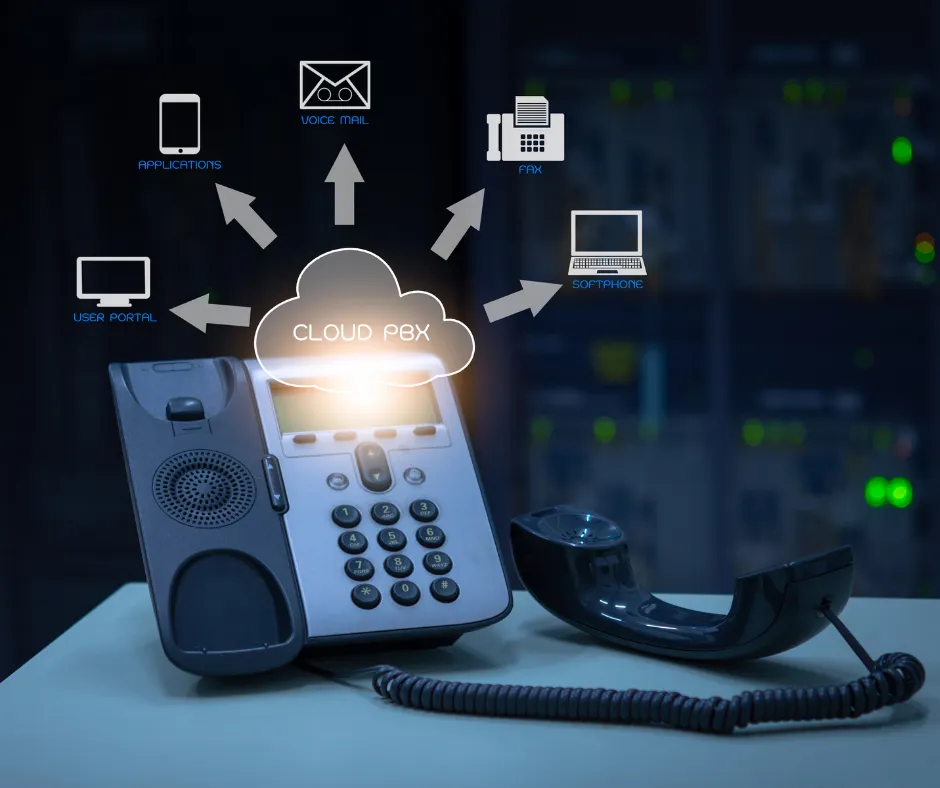
Think of it like this: VoIP is the signal, but the Cloud PBX is the brain. Legacy pbx solutions small business owners used to hide in a closet are dead. Today’s best pbx system for small business is a “Command Central” dashboard, giving you total control over call routing and AI virtual receptionists without the need for an on-site IT team.
What to look for in a small business phone system
Every provider on this list will tell you their features matter most. Here’s a checklist to run against any of them, organized by what actually breaks a deal.
Essential features
- Auto-attendant or virtual receptionist to answer and route calls automatically
- Voicemail-to-email or voicemail-to-text transcription
- Call forwarding across desk phone, mobile, and desktop
- Local and toll-free numbers included, not billed separately
Flexibility and access
- Works from a desk phone, a browser, and a phone app without a hardware requirement
- Lets staff use a business number on a personal device without exposing their real number
- Admin changes (adding a user, changing a call flow) don’t require a support ticket
Cost
- Published, per-seat pricing you can compare against competitors — not “contact sales”
- No separate charge for features you’d expect to be standard (call recording, analytics, auto-attendant)
- Clear answer on what happens to price at 10 users versus 50
Support and reliability
- A stated uptime number, not just the word “reliable”
- A real answer for what happens to your calls if your internet connection drops
- 24/7 support with a phone number, not only a ticket queue
Scalability
- Adding a user takes minutes, not a new contract negotiation
- The system supports more than one office location if you’ll need that later
Compliance
- Clear answers on PCI-DSS and HIPAA if you handle payment or health information
- Encryption in place for calls and voicemail, not just a checkbox on a sales page
Run any provider you’re evaluating, including the ones on this list, through this checklist before you sign anything.
Essential features for a modern business phone solution
Your business phone solutions must go beyond basic calling. Here are the “Must-Have” features included in the Vivant ecosystem at no extra cost.
1. Command Central: Actionable Analytics
Forget complicated spreadsheets. Command Central gives admins a one-click dashboard to see:
- Missed Call Data: instantly see where leads are falling through the cracks.
- IVR Health: which menu options customers are actually selecting.
- User Activity: track inbound and outbound volume to rate the health of your organization’s traffic.
2. 3-Way Device Sync: Desk Phone, Web, & Mobile
Every user extension is a “Global Workspace,” and in 2026 you shouldn’t pay extra for mobility. Desk phones still handle the traditional office feel with HD audio. The WebPhone lets you make and receive calls directly from any browser, no hardware required. And the mobile app lets you scan a QR code and use your professional office number on your personal device, so you stay connected without giving out your private cell number.
3. Advanced Business Texting & Call Deflection
Don’t let your staff get bogged down by routine questions.
- Smart Call Deflection: use templates to quickly reply to missed calls or after-hours inquiries via SMS.
- Team Collaboration: leave private notes on text threads to collaborate with teammates before replying to a customer.
- Scheduled Messages: draft your follow-ups now and schedule them to send during business hours.
Core features to look for, explained
Providers name these features differently, so here’s what each one actually means before you compare vendors.
Auto-attendant / IVR. The recorded menu that answers a call and routes it — “press 1 for sales, press 2 for support” — without a receptionist. IVR is the more advanced version, letting callers navigate multiple layers or speak a request instead of pressing a number.
Call routing. The rules that decide where a call goes: to a specific person, to whichever agent is free, or to a group of phones that all ring at once. Good routing is what keeps a call from just ringing at an empty desk.
Voicemail-to-email. A voicemail gets transcribed and sent to your inbox or phone as text, so you can read it in a meeting instead of dialing in to listen.
Call recording. Calls are saved automatically, useful for training new staff, resolving a customer dispute, or meeting an industry compliance requirement.
Call queues and ring groups. A ring group rings several phones for one incoming call. A call queue holds callers in order when every line is busy, usually with hold music and a wait-time estimate, instead of sending them straight to voicemail.
CRM integration. The phone system talks to your CRM so an incoming call shows the caller’s history, and a note or follow-up task gets created without you typing it in manually.
Click-to-call. A phone number on your website or in an email becomes clickable, dialing straight from the browser instead of making the customer type the number into their phone.
Multi-device ringing. One incoming call rings your desk phone, your computer, and your cell phone at the same time, so you can pick up on whichever one is nearest.
Top 8 best business phone systems: the 2026 power list
We tested pricing pages, admin dashboards, and support responsiveness across the platforms small businesses ask us about most. Here’s the fast-scan version, followed by the honest breakdown of where each one wins and where it falls short.
| Provider | Best for… | Starting price (USD) | The “Vivant” edge |
|---|---|---|---|
| Vivant SmartVoice | Zero-downtime custom managed | Custom | 100% uptime guarantee via HAFT architecture. |
| RingCentral | Enterprise scale | $20 /user/mo | Deepest app ecosystem and multi-site management. |
| Allo | AI sales growth | $18 /user/mo | AI receptionist & call summaries included in base plan. |
| Dialpad | AI intelligence | $15 /user/mo | Real-time AI coaching during live calls. |
| Zoom Phone | Video-first | $10 /user/mo | Seamless transition from voice call to video meeting. |
| Nextiva | All-in-one CX | $20 /user/mo | Combines voice, chat, and survey tools in one thread. |
| 8×8 | Legacy office hardware | Custom (no public pricing) | Overhead paging and desk phone support for physical offices. |
| Ooma | Solo & micro teams | $20 /user/mo | Virtual receptionist included even on the entry plan. |
1. Vivant SmartVoice: best for zero-downtime, fully managed setups
Vivant SmartVoice isn’t a self-serve app you configure alone. It’s a managed deployment built on our SmartCONNECT™ network layer, so voice traffic gets prioritized before it ever hits a congested internet connection. Pricing is custom because it’s bundled with your network infrastructure (SD-WAN, backup internet, security), not sold as a standalone per-seat SaaS tool.
Standout feature: the HAFT (High Availability Fault Tolerant) architecture fails over to 5G/LTE automatically if your primary internet drops. Most competitors on this list simply go down with your connection.
The honest limitation: if you just want a $15/month app with no infrastructure conversation, this isn’t a fast self-checkout purchase. It’s built for businesses where downtime has a real revenue cost, and where you’re willing to talk to a specialist to get it configured right.
2. RingCentral: best for enterprise scale
RingCentral is the platform that still feels comfortable once a small business stops being small. It’s built for companies planning to add locations, shared numbers, and more complex call flows over time.
Standout feature: the deepest third-party app marketplace on this list, plus multi-site admin controls that let you manage separate offices from one dashboard.
The honest limitation: that depth comes with a steeper learning curve, and a pricing structure that climbs quickly once you add advanced call-center or analytics add-ons. Overkill for a 3-person team that just needs reliable calling.
3. Allo: best for AI-driven sales growth
Allo built its plans around AI from day one rather than bolting it on later. At $18/user/month, the base plan already includes an AI receptionist and automatic call summaries, features that legacy providers often charge an extra “AI tax” for.
Standout feature: AI-generated call summaries and action items land in your CRM without any manual setup.
The honest limitation: Allo is newer to the market than RingCentral or Zoom, so its third-party integration list and enterprise-scale references are still growing. Worth confirming your specific CRM is supported before committing.
4. Dialpad: best for real-time AI coaching
Dialpad’s differentiator is what happens during the call, not after it. Live sentiment analysis and coaching prompts surface to the agent in real time, useful for sales teams that want to course-correct mid-conversation instead of reviewing a transcript afterward.
Standout feature: real-time AI call coaching, live on the agent’s screen.
The honest limitation: the AI coaching features are most valuable for teams with a dedicated sales or support function. A solo owner fielding occasional calls won’t get much use out of the premium AI tier’s price tag.
5. Zoom Phone: best for video-first teams
If your team already lives in Zoom for meetings, Zoom Phone is the path of least resistance. Calls can escalate into a video meeting in one click, and admins manage phone and video from the same console.
Standout feature: native voice-to-video handoff, no separate app or re-dial required.
The honest limitation: Zoom Phone’s calling-specific feature set (advanced IVR, call center tools) is thinner than dedicated voice platforms like RingCentral or Dialpad. It’s a strong add-on for existing Zoom customers, less compelling as a standalone phone system.
6. Nextiva: best for all-in-one customer experience
Nextiva positions itself less as “a phone system” and more as a customer experience hub. Voice, chat, and post-call surveys live in a single conversation thread per customer.
Standout feature: unified customer threads that combine call history, texts, and satisfaction surveys in one view.
The honest limitation: the all-in-one positioning means you’re paying for chat and survey tooling even if your business only needs reliable calling. Evaluate whether you’ll actually use the CX layer before choosing this over a calling-only platform.
7. 8×8: best for offices that still use physical hardware
8×8 is the pick for businesses that haven’t fully left the physical office behind. Overhead paging, intercom, and desk phone support are still first-class features here, which is rare among cloud-first competitors.
Standout feature: overhead paging and intercom support alongside standard VoIP calling.
The honest limitation: as of 2026, 8×8 no longer publishes pricing. You’ll need a sales call to get a quote, which makes it harder to comparison-shop against providers with transparent per-seat pricing.
8. Ooma: best for solo operators and very small teams
Ooma keeps things simple: a virtual receptionist, extensions, and call routing are included even on the entry-level plan, which is unusual. Most competitors gate the auto-attendant behind a mid-tier plan.
Standout feature: virtual receptionist included at the base price point, no upsell required.
The honest limitation: Ooma’s admin and analytics tools are noticeably lighter than RingCentral’s or Nextiva’s. Fine for a team of 2-10, but you’ll likely outgrow it if you’re planning to scale past a handful of seats.
How it plugs into your tech stack
The best pbx phone system for small business doesn’t sit in a silo. It talks to your CRM, whether that’s HubSpot, Salesforce, or Utiliko, to automate your day. An inbound call triggers an “Insight Card” showing the caller’s history. The system records the call and identifies action items on its own. The payoff: no manual note-taking, and a follow-up task lands in your project tool before you even hang up.
Mistakes to avoid when choosing a phone system
Buying on price alone. The cheapest per-seat rate often hides the real cost: extra fees for call recording, analytics, or an auto-attendant that should be standard. Compare total cost at your actual feature list, not the sticker price.
Ignoring what happens when the internet drops. Most VoIP systems have no answer for this beyond “call your internet provider.” If a provider can’t tell you specifically what happens to an in-progress call during an outage, assume the answer is that it drops.
Skipping the compliance conversation. If you take payments or handle health information over the phone, ask about PCI-DSS and HIPAA before you sign, not after an audit flags a gap.
Underestimating growth. A system that’s simple to set up for 3 users can turn into a migration project at 30. Ask what adding users and locations actually looks like a year from now, not just today.
Security, compliance, and what your uptime number actually means
Every provider on this list claims to be secure and reliable. Here’s what to actually check.
Encryption. Calls should be encrypted in transit using SRTP (Secure Real-time Transport Protocol), and signaling should run over TLS rather than plain SIP. Ask any provider directly whether SRTP and TLS are on by default or an add-on — some providers only enable them on higher-tier plans.
HIPAA and PCI-DSS. Being “HIPAA compliant” isn’t a certification a vendor either has or doesn’t; it depends on how a specific feature is configured. If a medical office records calls or stores voicemail transcriptions containing patient information, ask whether the provider will sign a Business Associate Agreement (BAA), where recordings are stored, and how long they’re retained. The same logic applies to PCI-DSS if calls ever involve a customer reading out a card number: ask whether the system automatically redacts or pauses recording during that part of the call, since a stored, unredacted card number is a real liability, not a theoretical one.
What an uptime number actually guarantees. A “99.9% uptime” SLA sounds close to perfect, but it works out to about 8 hours and 45 minutes of allowed downtime per year. “99.99%” cuts that to about 53 minutes a year. Ask a provider what their SLA number actually translates to in downtime-per-year, and ask what you get if they miss it: a real service credit, or nothing more than an apology. A system built with automatic failover to a secondary connection (cellular or a second internet line) is the only way to guarantee uptime that doesn’t depend entirely on your own internet staying up.
Frequently asked questions
Q: Is a cloud phone system actually reliable?
A: Only if you have a provider with SmartCONNECT™. Most systems crash when the internet does; a managed solution fails over to 5G/LTE instantly.
Q: Can I keep my existing US business numbers?
A: Yes. We handle the porting process behind the scenes, so there’s no downtime during the move.
Q: What is the biggest “hidden cost” to look for?
A: The “AI Tax.” Many legacy providers charge an extra $15/month for the AI features that newer systems like Allo include for free.
Q: I only have 2-3 lines. Do I still need a full cloud system, or is a basic small-office phone enough?
A: A basic 2-4 line phone works if you truly never need call routing, voicemail transcription, or a record of what happened on a call. The moment you want a call to reach whoever’s free, or you want a voicemail to land in your inbox as text, you’ve outgrown a basic multi-line phone and need a real system, even at 2 people.
Q: What type of phone system is actually best for a small business?
A: For most small businesses today, that’s a cloud-based system (see “Cloud PBX vs. VoIP” above) rather than an on-premises PBX or a basic multi-line phone. It costs less upfront, doesn’t require a closet full of hardware, and scales by adding a seat instead of buying new equipment. The exception is a business with only a handful of lines and genuinely no need for routing, analytics, or remote access, where a basic phone system can still make sense.
Don’t just buy a dial tone. A smart network protects your revenue. If your business can’t afford even five minutes of downtime, you need a partner that puts infrastructure first.
Ready to take the next step? Talk to a Vivant specialist or learn more about our business phone systems.